The Frustration of Blurry Memories
I still remember standing at the very back of a crowded auditorium during my little sister’s graduation ceremony. I was so excited to capture the exact moment she walked across the stage to get her diploma. I pulled out my brand-new, highly expensive smartphone and pinched the screen to zoom in as close as possible. But when I looked at the final photo later that night, my heart just sank.
Instead of a clear, happy memory of my sister, I was looking at a blurry, pixelated mess. Her face looked like a smudged watercolor painting, and the photo was completely unusable. I felt so cheated because the phone commercial promised me a massive zoom range that would capture every detail. I thought my expensive device was broken, or maybe my hands were just shaking too much.
This exact disappointment happens to thousands of smartphone users every single day. We spend a lot of our hard-earned money on premium devices, expecting professional-level camera performance. We take these phones to concerts, sports games, and family events, hoping to capture beautiful memories from a distance. But when we actually try to zoom in, the promised magic instantly turns into a frustrating blur.
People are missing out on capturing once-in-a-lifetime moments simply because they trust misleading camera marketing. You see advertisements boasting about fifty-times or even a hundred-times zoom capabilities. You naturally assume that means you can take a crystal-clear photo of the moon or a singer on a distant stage. When the reality hits, it completely ruins your excitement and leaves you feeling tricked by the manufacturer.
You find yourself constantly apologizing for the bad photos you post on social media. You start wondering if you should just buy a heavy, dedicated digital camera to carry around everywhere. The constant fear of missing a good shot because your phone camera cannot handle the distance is incredibly annoying.
But you do not need to throw your phone away, and you definitely do not need to carry a heavy camera. Your phone is not broken; it is just following the laws of physics and software. Let me explain the exact difference between the zooming methods your phone uses, so you never have to deal with a ruined photo again.
📌 At a Glance
- Optical Zoom uses real camera lenses.
- Digital Zoom enlarges the image using software.
- Optical Zoom preserves image quality.
- Digital Zoom may reduce sharpness.
- Periscope cameras offer the best long-range smartphone zoom.
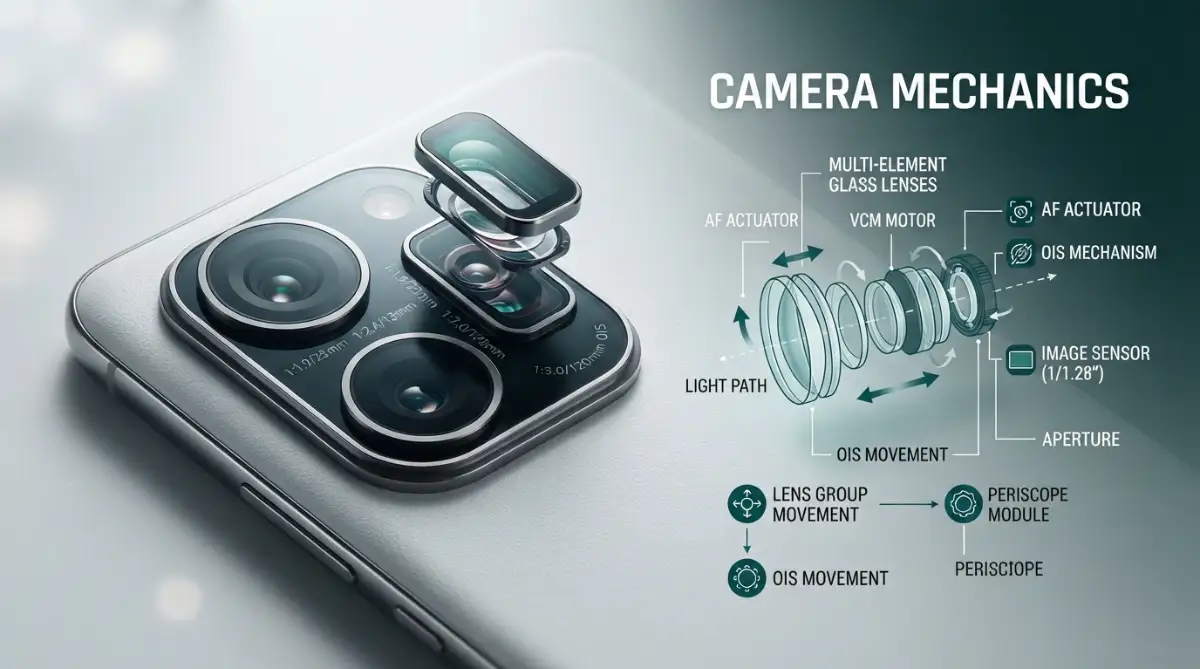
Decoding the Magic Inside Your Phone Camera
When you open your camera app and slide your finger to zoom, your phone is making rapid decisions behind the scenes. It has to decide whether to use physical hardware or software tricks to get you closer to your subject. These two methods create wildly different results, and understanding them is the secret to great mobile photography.
Once you know how your phone actually sees the world, you will completely change the way you take pictures. You will know exactly when to push in closer and when to stop before the image gets ruined. Let us break down the exact mechanics of how your device magnifies a scene.
The Pure Quality of Hardware Magnification
Let us start with the gold standard of mobile photography, which is optical zoom. This method relies entirely on physical glass lenses moving inside your phone's camera module. It works exactly like a pair of high-quality binoculars or a magnifying glass.
When you select a true optical zoom level on your phone, the physical shape of the lens actually changes the way light enters the sensor. The camera uses curved glass to pull the distant image closer before the sensor even records it. Because the magnification happens through physical glass, the camera captures the full resolution of the image.
Think of it like walking physically closer to a painting on a wall. Your eyes do not lose any details when you step closer; you just see the same high-quality painting from a shorter distance. This is why photos taken with physical zoom look incredibly sharp and detailed.
If your phone has a dedicated telephoto lens, that specific camera is built entirely for this purpose. When you tap the little "3x" or "5x" button on your screen, your phone actually switches to this special lens. The glass is permanently shaped to see things clearly from far away, giving you a perfect, lossless image every single time.
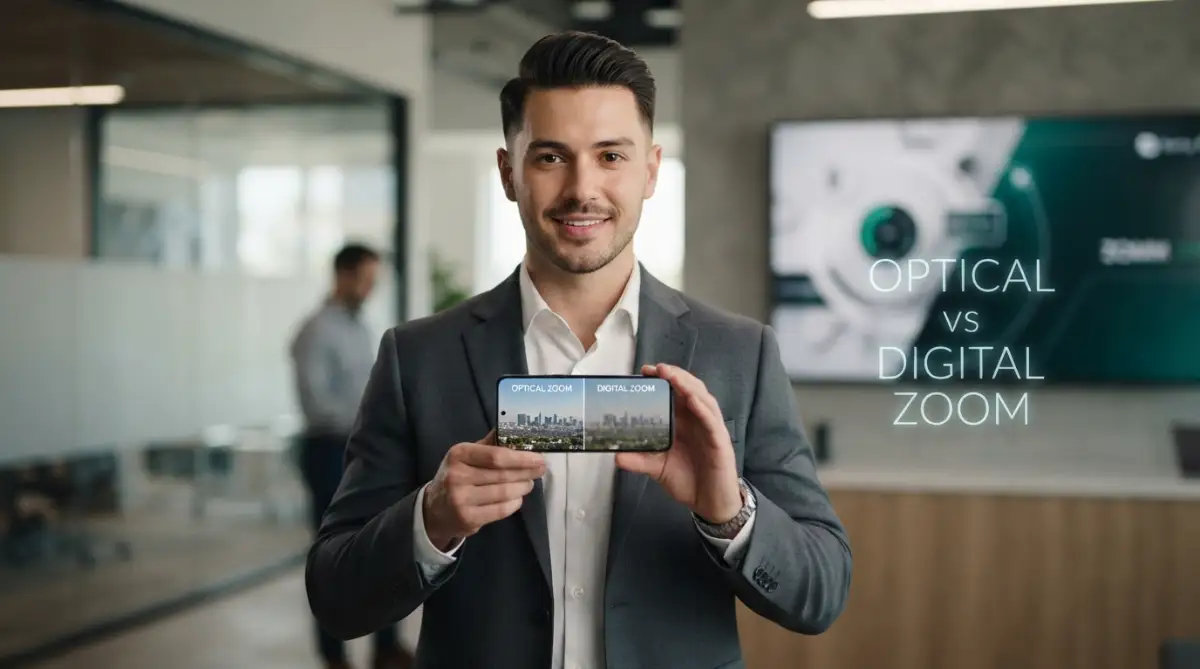
Optical Zoom vs Digital Zoom
The Software Illusion of Digital Zoom
Now we have to talk about the trickery of digital zoom, which is responsible for almost all of your blurry photos. Unlike the physical glass method, digital zoom does not use any moving parts to magnify the scene. Instead, it relies entirely on software to fake the effect of getting closer.
When you pinch your screen to zoom past your phone's physical limits, the camera just takes a normal, wide photo. Then, the software cuts off the edges of the image and stretches the middle part to fill your screen. It is exactly the same as taking a printed photograph and holding a magnifying glass over the center.
Digital zoom is essentially just aggressive cropping. Because the phone is stretching a small part of the image, the individual pixels become massive and highly visible. This stretching process destroys the fine details, making the final picture look muddy, soft, and extremely pixelated.
If your phone only has one single camera on the back, any zooming you do is one hundred percent digital. The phone has no physical way to bend the light, so it simply guesses what the stretched pixels should look like. This guessing game is why faces often look like smooth, unnatural paintings when you zoom in too far.
The Rise of Sensor Cropping and Hybrid Zoom
Smartphone makers know that digital stretching looks terrible, so they have invented a clever middle ground. This new method is often called hybrid zoom or sensor cropping. It uses massive, high-resolution camera sensors to provide a cleaner digital crop.
Many modern phones now feature main cameras with fifty, one hundred, or even two hundred megapixels. That is an insane amount of data for a single tiny photo. When you zoom in slightly, say to a 2x level, the phone does not just stretch the image randomly.
Instead, it captures the full two-hundred-megapixel shot and carefully crops out a smaller twelve-megapixel section directly from the center. Because the original sensor has so much detail to begin with, this specific type of crop looks almost as good as physical glass.
This is why many new phones do not even bother including a dedicated 2x physical lens anymore. The main camera is so incredibly sharp that it can handle a slight digital crop without ruining the picture. However, once you push past that safe sensor crop limit, the phone goes right back to nasty digital stretching.
Pro Tip from My Experience: I used to always pinch my screen to frame my shot perfectly before tapping the shutter button. I finally realized that doing this forces the phone to use horrible digital stretching! Now, I only tap the fixed numbers on the screen like 1x, 3x, or 5x, ensuring my phone uses the actual physical lenses for the sharpest possible memory.
Zoom Technology Comparison
Watch this excellent breakdown to see exactly how your phone switches between lenses in real time. This quick video visually explains why pinching your screen ruins your photo quality.
How Periscope Lenses Cheat Physics
You might be wondering how smartphones manage to fit powerful physical zoom lenses inside such a thin device. In traditional professional cameras, a long zoom lens physically sticks out several inches from the camera body. Since we want our phones to slide easily into our pockets, engineers had to get highly creative.
They solved this problem by borrowing a design from military submarines: the periscope. Inside a modern premium smartphone, the telephoto lens does not point straight out the back. Instead, the light enters the phone, hits a tiny mirror, and bounces sideways deep inside the phone's body.
This sideways design gives the light plenty of room to travel through multiple layers of magnifying glass. It allows manufacturers to fit a massive 5x or 10x physical zoom into a phone that is less than half an inch thick.
When you look closely at the back of a high-end phone, you might notice one camera hole that looks like a small square instead of a circle. That square is the mirror of the periscope system. If your phone has this square lens, you hold an incredible piece of physical engineering that can capture stunning distant shots without losing quality.
Why Low Light Ruins Your Zoomed Photos
There is a dark secret about telephoto lenses that smartphone companies rarely mention in their flashy commercials. Physical zoom lenses are naturally terrible at gathering light. To make a lens magnify an image heavily, the internal opening for light has to be extremely small.
During a bright, sunny afternoon at the park, your telephoto lens will take breathtaking, sharp photos of distant subjects. There is plenty of sunlight pouring into that tiny opening. But the moment the sun goes down, or you step inside a dimly lit restaurant, everything changes dramatically.
Because the telephoto lens cannot gather enough light in the dark, your phone's computer panics. To save the photo from being completely black, the phone will secretly disable your physical zoom lens. Instead, it will use the main, light-sensitive camera and apply a massive digital crop to fake the zoom.
This automatic switch is why your concert photos or nighttime stadium shots look so blurry, even if you paid for a phone with a great telephoto lens. The phone decides that a bright, blurry digital photo is better than a dark, sharp optical one. Understanding this automatic behavior helps you realize why your camera performs so differently indoors versus outdoors.
Myth vs Reality
The Truth Behind "100x Space Zoom" Claims
We have all seen the wild marketing claiming that a phone can zoom in one hundred times to capture the craters on the moon. While these features are fun party tricks, they are heavily reliant on aggressive software manipulation. No smartphone on earth has a physical lens capable of 100x magnification.
Most flagship phones max out at 5x or 10x physical magnification. Anything beyond that hard physical limit is pure digital stretching and heavy artificial intelligence processing. When you zoom to 100x, the phone is using complex software to literally paint missing details into the image.
When you take a photo of the moon at maximum magnification, the phone recognizes what you are looking at. It then uses its internal database to sharpen the craters artificially. While it looks cool on a tiny mobile screen, if you print that photo or view it on a large monitor, it often looks like a messy oil painting.
The Truth Behind "100x Space Zoom" Claims
Knowing When to Step Forward
The ultimate truth of mobile photography is that no amount of software can beat simply moving your feet. Physical glass lenses are amazing tools, but they still have limits. When you rely too heavily on any type of magnification, you introduce the risk of hand shake, which adds a natural motion blur to your shots.
When you are trying to capture a portrait of a friend or a shot of a beautiful building, try walking a few steps closer first. Using the main camera without any digital trickery will always yield the brightest, sharpest, and most colorful result.
We have uncovered the hidden mechanics behind your phone's camera app. You now understand the massive difference between physical glass bending the light and software stretching out the pixels. But knowing how the hardware works is only the first part of the equation; you still need to know how to use these tools properly in the real world to get the best possible shots.
Advanced Techniques for Mastering Smartphone Camera Magnification
Now that you know the exact difference between physical glass lenses and software cropping, it is time to elevate your mobile photography skills. Taking a sharp, professional-looking photo from a distance requires more than just tapping your screen and hoping for the best.
When you push your phone camera to its limits, every tiny movement gets magnified just as much as your subject. This is why mastering your physical handling and understanding your device's hidden settings is so important. Let us explore the advanced secrets that professional mobile photographers use every day.
The Hidden Power of Optical and Electronic Stabilization
When you zoom in on a distant bird or a sports player, your hands naturally shake. Even the tiniest twitch of your fingers will make the frame bounce wildly when you are using a telephoto lens. This motion blur destroys image clarity faster than almost anything else.
To fix this problem, modern smartphones rely heavily on Optical Image Stabilization (OIS) and Electronic Image Stabilization (EIS). OIS actually uses tiny electromagnets to float the physical lens inside the phone, counteracting your hand tremors in real time. EIS uses software algorithms to smooth out the jittery movement frame by frame.
If you are shopping for a new device, always check to make sure the telephoto lens has dedicated OIS built right into the hardware. Without physical stabilization, trying to shoot at 5x or 10x zoom becomes nearly impossible without a tripod.
Why Sensor Native Resolution Matters
Many users do not realize that their phone camera app often shoots at a lower resolution by default to save storage space. When you are trying to capture a detailed distant shot, you need every single pixel working in your favor.
Switching your camera settings from the default twelve megapixels to the full fifty or two hundred megapixels changes everything. This full-resolution mode gives your phone's processor significantly more raw data to work with when you crop or zoom. According to digital photography experts at DPReview, shooting in native high-resolution modes preserves finer edges during digital cropping.
Keep in mind that these massive image files take up a lot of storage space on your device. You should only switch to full-resolution mode when you are planning to capture a detailed distant landscape or a special faraway subject.
Managing Phone Battery and Processing Power During Zoom Shots
Heavy camera processing, especially when working with high-resolution sensors and AI image sharpening, requires an immense amount of computing power. If your phone is running hot, the processor will automatically slow down to protect the internal hardware.
This thermal throttling can cause your camera app to lag, freeze, or skip frames right when you are trying to capture a fast-moving moment. If you notice your device getting unusually warm during an outdoor photoshoot, give it a quick break in the shade. For more insights on device power management, you can check out guides on how to fix a phone that says charging but battery percentage drops under heavy usage.
Heavy camera usage combined with a weak battery can also cause unexpected shutdowns in older devices. Taking care of your phone's overall health ensures your camera app is always ready to perform at its absolute peak.
The Importance of Clean Glass and Proper Lighting
It sounds simple, but you would be shocked at how many people fail to check their camera lenses before taking a photo. Your phone sits in your pocket or purse all day, collecting microscopic layers of dust, oil, and fingerprint smudges.
When you zoom in on a distant subject through a greasy camera lens, the light scatters in every direction. This scattering creates an annoying halo effect, lowering the contrast and making your zoomed photos look foggy. Leading tech analysts at TechRadar consistently emphasize that wiping your lenses with a clean microfiber cloth is the single best habit for mobile photography.
Always take two seconds to clean your lenses with a soft cloth before capturing an important memory. You will instantly notice a massive improvement in clarity, color accuracy, and sharpness.
Dangerous Pitfalls That Will Ruin Your Zoomed Photos
Even with the best hardware in your pocket, it is very easy to fall into bad habits that destroy your picture quality. Many users make simple, avoidable mistakes that turn a potentially stunning photo into a blurry disaster. Let us walk through the most common traps you need to avoid.
Falling for the Megapixel Marketing Trap
The biggest trap in the modern tech market is believing that a higher megapixel count automatically means better zoom quality. Manufacturers love plastering massive numbers like two hundred megapixels across their advertising billboards.
As we discussed earlier, a high-megapixel sensor simply gives you a larger canvas, not better physical glass. If a phone lacks a proper telephoto periscope lens, no amount of megapixels will save a high-level digital crop from looking pixelated. Never buy a phone based solely on its marketing numbers without checking real-world camera reviews first.
Shooting Moving Subjects with High Magnification
Trying to capture a sprinting child or a flying bird at high zoom is a recipe for pure frustration. The shutter speed of your phone camera automatically drops when it tries to gather enough light through a narrow telephoto lens.
If your shutter speed is too slow, any movement will result in heavy motion blur. Instead of relying on zoom in chaotic environments, try to get closer to the action or use a burst mode to capture dozens of frames. One of those rapid shots is bound to freeze the motion cleanly.
Ignoring the Limits of Third-Party Apps
When you take photos inside social media apps like Instagram or Snapchat, those apps rarely use your phone's native camera software. Instead, they often capture a low-resolution screen recording or apply heavy compression to your images.
If you want the absolute highest quality optical zoom, always use your phone's native, built-in camera application. Once you capture the perfect master shot in your native gallery, you can easily share or upload it to your favorite social platforms. To ensure your uploads go smoothly and quickly, you might also want to learn how to boost wi-fi signal strength through thick walls at home.
Your Action Plan for Perfect Mobile Photography
Mastering the difference between physical glass magnification and software cropping gives you total control over your creative vision. You no longer have to guess why your pictures look blurry or feel disappointed by marketing claims. You understand your device's limits and know how to work around them like a true professional.
Remember to stick to your phone's native optical zoom steps, keep your lenses spotless, and always respect lighting conditions. When you combine good physical habits with smart camera settings, your mobile photography will instantly reach a much higher level.
You have all the knowledge you need to start capturing crystal-clear memories from any distance today. For more helpful guides on getting the most out of your everyday electronics, feel free to explore the resources at Financeinfoin.
📸 Quick Tips
- Clean the camera lens before every important shot.
- Stay within your phone's optical zoom range.
- Avoid extreme digital zoom unless necessary.
- Use both hands or a tripod for long-distance photos.
- Shoot in good lighting whenever possible.
My Final Advice: The next time you find yourself standing far away from a beautiful scene, take a deep breath before pinching your screen. Check which physical lens you are using, clean off any smudges, and hold your breath for a steady shot. That tiny bit of mindfulness will completely transform your photos from blurry messes into stunning frames you will cherish forever!
✅ Before Using Zoom, Check This
- Lens is clean
- Enough lighting
- Optical zoom selected
- Phone held steady
- Camera app updated
Common Questions About Smartphone Camera Zoom
Why do my zoomed photos look like oil paintings?
When you use digital zoom past your phone's physical lens limits, the software has to stretch and guess the missing pixels. To hide the ugly pixelation, the phone's artificial intelligence algorithms smooth out the edges, giving the image an unnatural, painted appearance. Sticking to native optical zoom levels completely prevents this software smoothing effect.
Is digital zoom ever worth using on a modern phone?
Light digital cropping can be useful if you only plan to view the photo on a small smartphone screen. However, if you want to print the picture, crop it further, or view it on a large computer monitor, digital zoom will immediately reveal its pixelated flaws. It is always better to step closer physically whenever possible.
What does "3x" or "5x" actually mean on my camera app?
These numbers represent the magnification multiplier compared to your phone's standard wide-angle main camera. A 3x lens makes your subject appear three times closer than the normal 1x view without losing any image quality. This magnification happens entirely through physical glass lenses inside the phone body.
Why does my phone switch back to the main camera when I zoom in low light?
Telephoto lenses have very small openings that struggle to gather light in dark environments. To prevent the photo from being completely black, your phone automatically uses its larger main camera and applies a digital crop instead. The software chooses a bright, blurry crop over a dark, sharp optical shot every single time.
Do I need a tripod to use smartphone zoom lenses?
While a tripod is not strictly required during bright daylight, it becomes extremely helpful at zoom levels above 5x. Because hand tremors get magnified just as much as your subject, a small tripod or stable surface eliminates motion blur entirely. This simple tool guarantees the sharpest possible details in your distant shots.
How can I tell if my phone has a true optical telephoto lens?
You can easily check your phone's official technical specifications sheet on the manufacturer's website. Look for a camera listed with a specific optical magnification value and terms like "telephoto" or "periscope." If the specs only mention digital zoom or high megapixel cropping, the phone does not have a physical zoom lens.
Does cleaning my camera lens really improve zoom quality?
Yes, microscopic layers of oil and dust scatter incoming light, creating a foggy haze that ruins fine details. When you zoom in on a distant subject, that optical haze gets magnified right along with the image. Wiping the lens with a clean cloth restores crisp contrast and sharpness instantly.
Disclaimer: The information provided in this article is for educational and informational purposes only and does not constitute professional photographic, technical, or purchasing advice. Smartphone specifications, software features, and camera capabilities vary widely across different brands and models. Always review official manufacturer specifications before purchasing any electronic device.