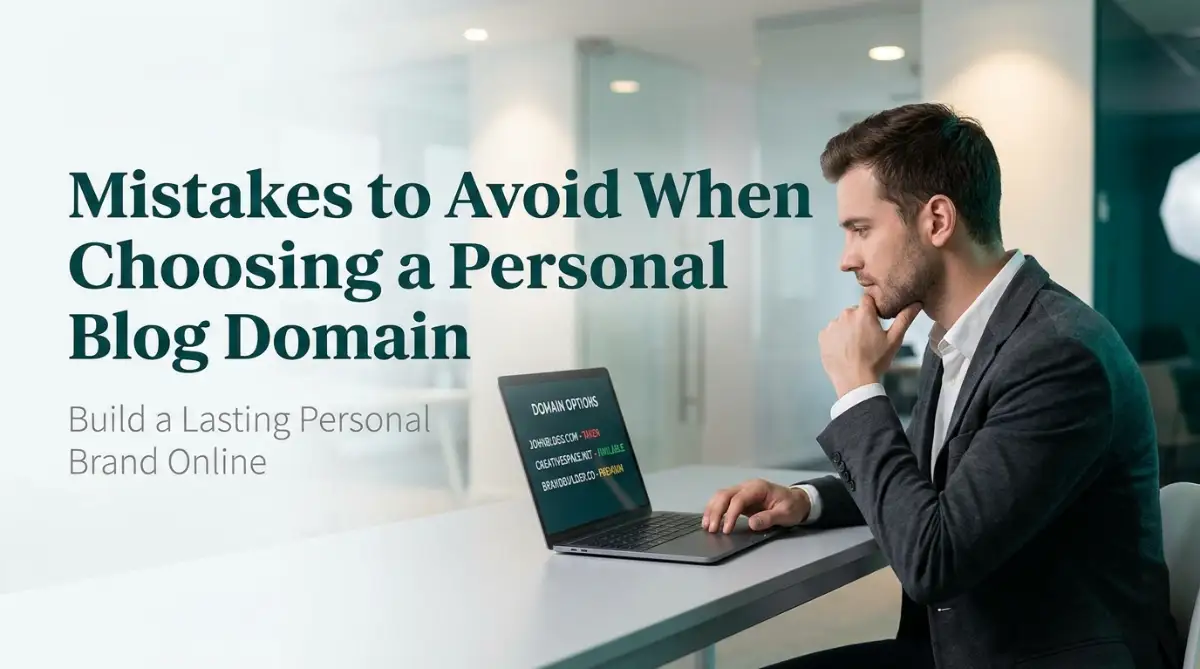
The Costly Mistake I Made Choosing My First Blog Domain
I still remember the excitement of registering my very first personal blog domain. Wanting something unique, I picked a long, quirky name with hyphens and unusual spelling. It seemed creative at the time, but it quickly became one of my biggest blogging mistakes.
Every time I shared my website, I had to spell it out letter by letter. People mistyped the address, forgot it, or landed on the wrong site. Instead of building my brand, my domain was making it harder for people to find me.
Many new bloggers make the same mistake. You can write great content and design a beautiful website, but if your domain is difficult to remember or type, you're creating an unnecessary obstacle for your readers.
The worst part is that changing your domain later can mean broken links, lost traffic, and months of extra work. Spending a little more time choosing the right domain from the beginning can save you countless headaches and help your blog grow with confidence.
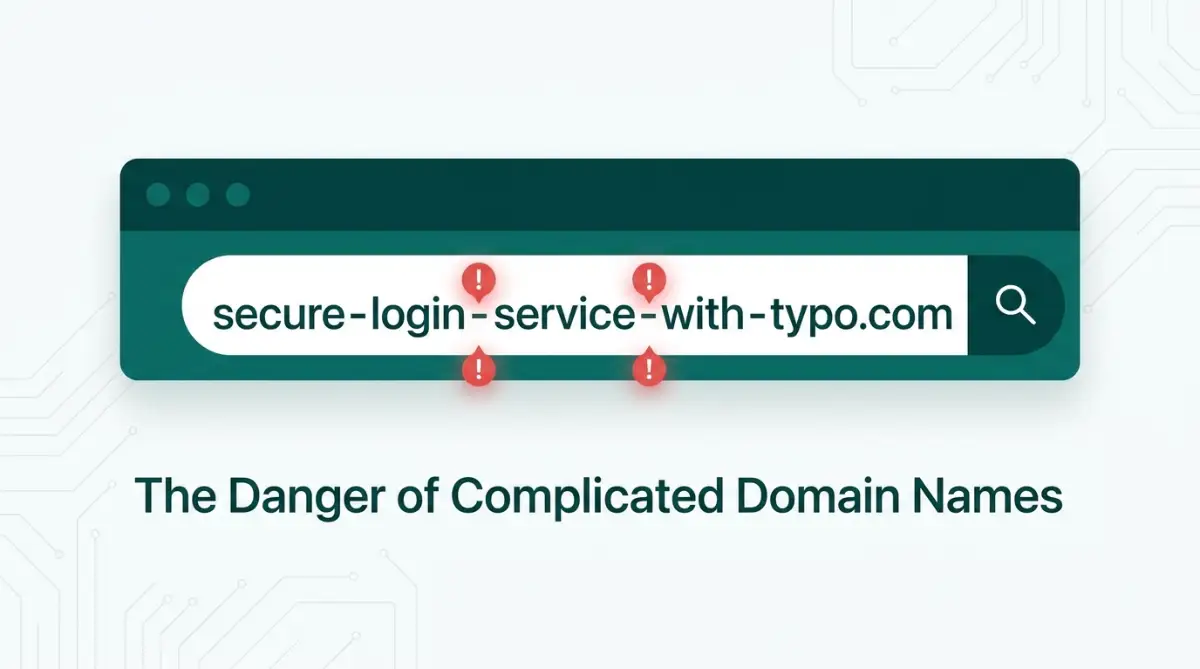
The Hidden Traps That Can Sink Your Personal Brand
Picking a web address seems simple on the surface, but it is filled with hidden traps. Most beginners rush through the registration process in five minutes without thinking about long-term growth. To help you avoid the same painful traps I fell into, let us examine the most common errors people make.
The Hyphen and Number Trap: Why Simplicity Always Wins
Adding hyphens or numbers to a web address is one of the quickest ways to confuse your visitors. People often resort to hyphens when their dream address is already taken by someone else. They think adding a dash between words solves the problem, but it actually creates brand new issues.
When you tell someone your site name out loud, you have to explicitly say the word "dash" or "hyphen" every time. If you say "Johns Dash Blog Dot Com," half your listeners will type "johnsdashblog.com" instead of "johns-blog.com." You end up sending your valuable traffic directly to someone else's website.
Numbers create the exact same type of verbal confusion. If your web address contains the number "4," visitors will never know whether to type out the digit "4" or the word "four." Keep your web address clean, simple, and completely free of numbers or special symbols.
A great way to test your idea is the famous "radio test." Imagine saying your proposed web address out loud in a quick radio commercial. If a listener cannot easily spell it correctly in their head on the very first try, you need to go back to the drawing board.
Boxing Yourself In: The Overly Narrow Niche Mistake
Another massive mistake is picking a name that is far too specific to one narrow topic. When you start your personal blog, you might be totally obsessed with a specific hobby, like minimalist living or baking bread. Naming your site "SarahsSourdoughTips.com" seems great at first, but your interests might evolve over time.
What happens two years later when you want to start writing about travel, personal budget management, or general lifestyle advice? Your old web address completely traps you in a box, making your new content look completely out of place to new visitors.
Your personal blog should have room to grow and transform alongside your personal journey and changing interests. Choosing a broader brand name, or simply using your actual personal name, gives you complete freedom to write about whatever you want in the future.
If your exact name is unavailable, you can easily add simple context words like "reads," "writes," "notes," or "journal." This keeps the focus squarely on your personal identity while keeping your future content options completely wide open.
The Extension Dilemma: Why .Com Is Still King
With hundreds of new domain extensions available today, like .tech, .space, .blog, and .xyz, it is tempting to pick something modern and cheap. While these new extensions sound cool in theory, the classic .com extension remains the undisputed king of the internet.
Human brain memory is deeply wired to assume every web address naturally ends in .com by default. If someone remembers your brand name, they will almost always type .com into their browser bar without even thinking about it.
If you own "YourName.tech," but someone else owns "YourName.com," you will lose a huge percentage of your organic traffic to the .com site. People simply forget to type unusual extensions when navigating directly to a website.
Unless you are building a specific regional blog using a trusted country code extension, always push hard to secure a .com address. It builds instant trust, looks highly professional, and prevents accidental traffic loss to other site owners.
The Myth vs. Reality of Domain Extensions
Legal Nightmares: Forgetting Trademark Searches
Nothing ruins the joy of blogging faster than receiving a formal cease-and-desist letter from a corporate lawyer. Many beginners accidentally use trademarked brand names, company slogans, or famous product titles inside their personal blog addresses.
Even if you have no intention of stealing business, using a registered trademark in your web address can get you into serious legal trouble. The company owning the trademark can legally force you to hand over your domain without giving you any financial compensation.
Before you spend money registering any name, take five minutes to search official trademark databases in your country. Avoid using corporate brand names, famous character names, or established platform titles anywhere within your domain string.
Doing a quick search protects your hard work, your savings, and your peace of mind before you build an entire brand on unsafe ground. It is always better to be completely safe today than deeply sorry and forced to rebrand tomorrow.
Here is a small realization I had after wasting a lot of time trying to pick "clever" names.
I used to spend hours combining random buzzwords together, trying to sound like a massive media company instead of a real person. The moment I simplified everything and just used a clean, human-sounding name, my readers connected with my content much faster. Your audience wants real connection, not a confusing corporate string of words.
Making It Hard to Spell and Say Out Loud
Using weird word combinations, double letters, or silent characters is a massive obstacle for your readers. When two identical letters touch in the middle of a domain, like "FastTrendss.com," people constantly make typing errors.
Double letters trick the eyes and fingers, especially when people are typing quickly on small smartphone screens. If your domain is hard to type, visitors will hit a dead end and leave before ever reading your posts.
Avoid using slang, intentional misspellings, or phonetic tricks like using "ez" instead of "easy" or "2" instead of "to." While it might seem trendy at first glance, it makes your personal brand look unprofessional and hard to locate.
Watch this helpful video guide to see practical examples of how to choose a clear, brandable name effortlessly!
Stick to standard spelling and clear, recognizable dictionary words whenever possible. Test your domain idea by texting it to a friend without any extra explanation or spelling hints. If they can type it back to you correctly on their first try, you have found a winner.
Forgetting to Check Social Media Availability
Your website address is only one piece of your broader personal branding puzzle online. If you register a great web address, but every matching social media handle is already taken, your brand identity will feel fragmented and messy.
Before buying any domain, check if the matching handles are available across major platforms like Pinterest, Facebook, Instagram, and X. Having identical handles across your website and social channels makes it effortless for readers to find and follow you everywhere.
If the exact match is taken on social media, see if you can add a simple, consistent prefix or suffix like "real" or "official." But if the handles are owned by active, popular accounts in your same topic area, it is usually better to choose a different name entirely to avoid brand confusion.
Consistency builds recognition and trust with your audience over time. When your web address and social profiles align smoothly, your entire personal blog looks polished, authoritative, and ready for growth.
Pro-Level Domain Security and Brand Longevity Tactics
Once you have brainstormed a clean, memorable name, you need to think about long-term strategy. Registering the domain is only the first step in building a permanent home online. You must protect that asset so no one can steal your identity or ruin your reputation later.
One secret tactic that professional bloggers use is activating WHOIS Domain Privacy Protection immediately. When you register any web address, international internet rules require your personal name, home address, phone number, and email to be stored in a public database.
Without privacy protection enabled, spammers, scammers, and telemarketers will scrape your personal details within minutes of registration. Your inbox will instantly fill up with junk emails and fake web design offers. Most reputable domain registrars now offer WHOIS privacy completely free, so make sure it is turned on before completing your checkout. You can check how public domain records work through official tools like the ICANN Lookup Portal.
Another key step is turning on Auto-Renewal and enabling a Domain Transfer Lock. Thousands of bloggers lose their websites every year simply because their credit card expired and they missed a renewal email. When a domain expires, automated bots immediately buy it and demand thousands of dollars to sell it back to you.
Enabling auto-renewal prevents this heartbreak and keeps your site safe while you focus on content. A transfer lock adds an extra layer of security, preventing unauthorized hackers from secretly moving your domain to another registrar.
Checking the Historical Past of Your Chosen Address
Before finalizing your domain purchase, you should always check its historical background. Someone else might have owned that exact domain name years ago and used it for spammy or illegal activities.
If a previous owner built thousands of low-quality spam links to the domain, search engines like Google might have permanently penalized it. Buying a penalized domain means your new blog posts will never rank on the first page, no matter how hard you write.
You can easily investigate any web address by using the free Internet Archive Wayback Machine. This tool shows you exact historical screenshots of what was hosted on that domain in previous years.
If you see shady gambling ads, adult content, or sketchy shopping sites in its history, abandon that domain name immediately. It is always better to start with a fresh, clean domain than to waste months trying to clean up someone else's digital mess.
Securing Your Brand Strategy and Custom Email Setup
When building a long-term personal brand, you should also consider grabbing the most common misspellings or singular versions of your domain if your budget allows. You do not need to buy dozens of extensions, but securing the primary variants prevents copycats from confusing your readers.
Once your main address is active, set up a professional custom email address like hello@yourdomain.com. Sending emails from a custom domain looks infinitely more trustworthy than using a generic free Gmail or Yahoo account.
When pitching guest posts, reaching out to brands, or emailing your newsletter subscribers, a custom domain email gives you instant credibility. It signals to the world that you run a real, legitimate platform rather than a temporary hobby.
Starting a new website can sometimes feel overwhelming with all these technical decisions. When technical setup stress starts piling up, it helps to take a step back and calm your mind during stressful tech setups. Taking things one step at a time keeps your mind clear and focused on your goals.

Costly Domain Pitfalls That Quietly Destroy New Blogs
It is heartbreaking to watch passionate writers abandon their dreams simply because they made avoidable mistakes during setup. Understanding where others go wrong allows you to navigate around these traps smoothly. Let us look at the most dangerous pitfalls that ruin new blogs.
The Cheap First-Year Price Trap
Domain registrars love offering insane promotional discounts for your first year of registration. You might see a domain on sale for just ninety-nine cents, which feels like an incredible bargain.
However, many dishonest companies hide massive renewal fees in their fine print. That cheap domain might cost you thirty or forty dollars every single year after the first promotion ends.
Always check the standard annual renewal price before entering your payment details. Stick with transparent, well-known registrars that charge fair, consistent pricing year after year.
The Trap of Free Subdomains
When starting out on a budget, many beginners choose free platform options like yourname.wordpress.com or yourname.blogspot.com. While free options sound attractive, you do not actually own that web property.
The platform owner can shut down your account, change their rules, or place unwanted ads on your site at any time without your permission. Furthermore, readers rarely take subdomains seriously because they look temporary and amateurish.
Owning a custom domain costs less than the price of a single cup of coffee per month. Investing a small amount in your own domain name gives you total ownership and complete control over your digital future.
Ignoring International Trademark Databases
We mentioned trademarks earlier, but it is worth emphasizing how devastating legal disputes can be for a new creator. Assuming a domain name is safe just because it is available for purchase is a dangerous mistake.
Registrars will happily sell you any domain string that is not currently registered by another user. They do not automatically check whether that name infringes on an active corporate trademark.
You can verify international trademark registrations through official tools provided by the World Intellectual Property Organization (WIPO). Taking five minutes to search official registers protects you from scary legal threats down the road.
If you receive a trademark notice later, you will be forced to shut down your site, rebrand everything, and possibly pay heavy legal fines. Protecting your mental peace and maintaining healthy lifestyle habits requires eliminating unnecessary legal stress before it starts.
The Danger of Ignoring SSL and Security
Buying a domain is only half the battle; you must also secure it with an SSL certificate. An SSL certificate encrypts the connection between your website and your visitors, changing your address from http to https.
Modern web browsers display a scary "Not Secure" warning to visitors who try to access a site without an active SSL certificate. This warning terrifies readers, causing them to immediately close your page and leave.
Most top-tier web hosting providers include free SSL certificates with every domain setup. Make sure your SSL certificate is properly activated before you start promoting your new blog to the public.
If you want to read more about web security standards and internet protocols, you can explore detailed research papers at Verisign Domain Research. Learning the basics of internet infrastructure gives you confidence as a site owner.
Building a personal blog should be an enjoyable experience that supports your personal and financial goals. Smart decisions made early on set the stage for long-term success while managing your online personal platform smoothly.
Your Action Plan for Launching a Regret-Free Blog
Now that you understand what mistakes to avoid, you are ready to pick a domain name with total confidence. Follow this simple, actionable checklist to ensure your choice stands the test of time.
- Keep It Simple: Pick a name that is easy to spell, pronounce, and share out loud.
- Stick to .Com: Secure the classic extension whenever possible to maximize visitor trust.
- Avoid Symbols: Never use hyphens, numbers, or confusing double letters in your URL.
- Check Trademarks: Search official databases to avoid costly legal headaches later.
- Verify Socials: Make sure matching social media handles are available across main networks.
- Enable Privacy: Activate free WHOIS privacy protection during registration to block spammers.
- Plan for Growth: Choose a broad enough name so your content can evolve over time naturally.
I spent years making silly domain mistakes before I finally learned how to build a clean personal brand online. Once I simplified my web address and focused on serving my readers, everything finally clicked into place. Take your time, follow these steps today, and build a blog that you will be proud of for years to come.
5 Quick Tips to Pick the Perfect Personal Blog Domain Without Regrets
1. Keep It Short and Easy to Remember
Best Practice
A short, memorable domain is easier to type, share, and remember. Avoid long phrases, numbers, hyphens, or difficult spellings that people can easily forget.
2. Choose a Name That Can Grow With You
Future-Proof
Don't limit yourself with a domain that's tied to one narrow topic. Pick a name that still makes sense if your blog expands into new categories later.
3. Make It Easy to Say and Spell
Brand Friendly
If someone hears your domain once, they should be able to type it correctly without asking for the spelling. Simple pronunciation helps word-of-mouth promotion.
4. Register a Trusted Domain Extension
Most Recommended
Whenever possible, choose a .com domain because it's the most familiar and trusted extension. If it's unavailable, consider .net, .org, or a relevant country-code extension.
5. Check Branding Before You Buy
Avoid Regrets
Search the domain on Google and check whether the same name is available on major social media platforms. Consistent branding makes your blog look more professional from day one.
Pro Tip
Before purchasing a domain, say it out loud several times and imagine telling it to someone over the phone. If they can understand and spell it without confusion, you've likely found a strong, memorable domain name.
Common Questions About Picking the Right Domain Name
Should I use my real name as my personal blog domain?
Using your real name is one of the best choices for a personal blog. It gives you total freedom to write about different topics as your interests change over time. If your exact name is taken, you can add a simple word like "writes" or "notes."
Is it okay to buy a domain with a hyphen if the original is taken?
No, buying a domain with a hyphen is generally a bad idea. People will constantly forget to type the hyphen and end up on your competitor's website instead. It is much better to choose a completely different, unhyphenated name.
Are new extensions like .blog or .me good for personal websites?
While modern extensions are growing in popularity, .com is still the most trusted and remembered option. If you choose an unusual extension, many casual visitors will instinctively type .com anyway and miss your site.
How much should a standard domain name cost per year?
A standard .com domain name usually costs between ten and twenty dollars per year. Be cautious of registrars offering super cheap first-year deals that hide high renewal fees later. Always check the standard annual renewal rate before purchasing.
Can I change my blog domain name later if I make a mistake?
Yes, you can change your domain name later, but it takes technical effort and time. You will need to set up redirects, rebrand your social channels, and risk temporarily losing search engine rankings. It is much easier to pick the right name from the start.
Does having keywords in my domain name help my search ranking?
Having keywords in your domain name offers a very small search benefit today, but it is no longer necessary. Search engines prioritize high-quality, helpful content over keyword-stuffed domain names. Focus on picking a memorable, brandable name instead.
What should I do if someone is squatting on my dream domain?
If someone owns your dream domain and is asking for thousands of dollars, it is usually best to move on. Trying to negotiate with domain squatters is expensive and time-consuming. Get creative and find an available name that works just as well without breaking your budget.
Disclaimer:
The information provided in this blog post is for educational and informational purposes only. Registering domains and managing website security involves third-party tools and services that may change their policies over time. We do not accept liability for domain availability, trademark disputes, or technical issues that may arise during your registration process. Always verify trademark databases and consult legal counsel if you have specific copyright questions regarding a brand name.