
Reading Time: 15 Minutes
Difficulty Level: Beginner to Intermediate
Reviewed By: FinanceInfoIn Editorial Team
The Crushing Weight of an Unbuilt Idea
I clearly recall sitting at my worn-out kitchen table late one Tuesday night, staring blankly at a legal pad. My brain was buzzing with an app idea that I knew could genuinely help people manage their freelance invoices. I had the target audience mapped out, the marketing angle prepared, and the passion burning in my chest.
There was just one massive, terrifying brick wall standing in my way. I did not know how to write a single line of code.
I spent weeks sending emails to freelance developers and local agencies, hoping to find someone who would share my vision. The responses I got back absolutely shattered my confidence. They wanted thirty thousand dollars and six months just to build a basic test version of my idea.
My bank account had a couple of thousand dollars in it, meant for rent and groceries. The feeling of pure helplessness washed over me. I felt like a fraud calling myself a founder when I could not even build my own product.
I started questioning if I should just give up, go back to my regular day job, and let someone else invent it. The tech world felt like an exclusive club with a heavy iron door, and I did not have the key. It was a deeply isolating, frustrating experience that kept me awake at night.
Quick Summary
Building a startup without programming knowledge is entirely possible today. By shifting your focus from expensive software development to simple market validation, you can launch quickly. This guide breaks down how to use modern visual builders, test your ideas cheaply, and launch a working prototype to real users. You will learn to bypass the traditional tech barriers completely.
The Greatest Lie Sold to First-Time Entrepreneurs
Many new business owners fall into a very expensive trap. They believe that a Minimum Viable Product (MVP) has to be a fully functioning, beautiful piece of software right out of the gate. This is simply not true.
The core purpose of an MVP is to test a hypothesis. You only need to find out if strangers are actually willing to pay for your solution. You do not need a custom-coded mobile application to figure that out.
Think of it like opening a restaurant. You do not buy the building, hire a massive staff, and order thousands of ingredients before testing the menu. You start by selling a few meals from a food truck or a pop-up tent to see if people actually like your cooking.
Validating The Demand Before Building Anything
Before you even look at software tools, you need to prove that your problem is worth solving. The biggest mistake non-tech founders make is building a product in secret, only to launch to crickets. You must test the waters first.
Let me share a real-world mathematical breakdown to show you the difference between building blind and validating first.
Let's look at a founder named David. David has an idea for a pet training app.
Scenario A: David takes out a loan and spends 20,000 dollars paying an agency to code the app. He launches it and realizes nobody wants it. Total loss: 20,000 dollars.
Scenario B: David spends exactly 50 dollars on Facebook ads directing people to a simple landing page he built for free. The page explains the app and asks for an email address to get early access. Out of 100 visitors, 0 people sign up. Total loss: 50 dollars.
The "Fake It Until You Make It" Approach
If you have zero tech skills, your best friend is the "Concierge MVP." This means you perform the service manually behind the scenes while making it look automated to the customer. It is a highly effective way to learn exactly what your users expect.
For example, if you want to build an AI resume-writing tool, do not build the AI first. Set up a simple form where people submit their details. When a form comes in, you manually write the resume yourself and email it back.
The customer gets the exact same result. They do not care if a robot or a human did the work, as long as their problem is solved. Once you have too many orders to handle manually, that is when you start automating things.
Here is a quick look at the different ways you can present your idea early on.
Understanding the Confusing World of Tech Options
When you finally decide to start building your digital product, the terminology can easily overwhelm you. People will throw around terms like open-source, custom code, and visual builders. It is easy to get confused and make a bad investment.
The biggest confusion usually happens between "Custom Code" and "No-Code" platforms. Many founders assume that no-code tools are just toys for hobbyists. In reality, modern visual builders are incredibly powerful and run thousands of profitable businesses.
Let's break down the clear differences so you know exactly what you are dealing with.

Mapping Your Logic Like a Flowchart
Before you open any software program, you need to understand the logic of your application. Software is just a series of "If This, Then That" statements. You do not need to know a programming language to understand basic human logic.
Grab a large whiteboard or a stack of sticky notes. Write down every single step a user will take, from the moment they land on your site to the moment they achieve their goal.
If they click the sign-up button, what happens next? Where does their data go? What email do they receive? Mapping this out visually ensures you do not get lost when you actually start building.
Watch This Quick Video on Mapping User Journeys:
If you want to see exactly how professionals turn messy ideas into clean, actionable logic flows on a whiteboard, check out this breakdown below. It will completely change how you view product planning.
Selecting the Right Visual Building Blocks
Now it is time to choose your weapons. The tech industry has created incredible platforms that allow you to drag and drop elements onto a screen. These tools write the complex code in the background while you focus on the design.
For landing pages and simple websites, platforms like Carrd or Webflow are excellent. They allow you to create beautiful, responsive designs in a matter of hours. You simply drag a text box, an image, and a button onto the canvas.
If you are building something more complex, like a marketplace or a member directory, tools like Bubble or Softr are industry standards. They allow you to create user logins, accept payments, and display dynamic data without a computer science degree.
Expert Tip: Focus on mastering just one tool first. Do not try to learn three different platforms at the same time. I made the mistake of jumping between five different builders when I started, and it paralyzed my progress. Pick the tool that feels most intuitive to you and stick with it until you hit a hard limit.
How to Handle Databases Like a Regular Spreadsheet
The word "database" sounds intimidating to a non-tech founder. You might picture green glowing text falling down a black screen. In reality, a modern database is just a highly organized Excel spreadsheet.
Every app needs a place to store information. If you have a list of users, their names, emails, and passwords live in a database. If you have a list of products, their prices and images live there too.
Tools like Airtable or Glide allow you to manage this information visually. You can see your data neatly organized in rows and columns. When someone fills out a form on your website, it automatically creates a new row in your spreadsheet.
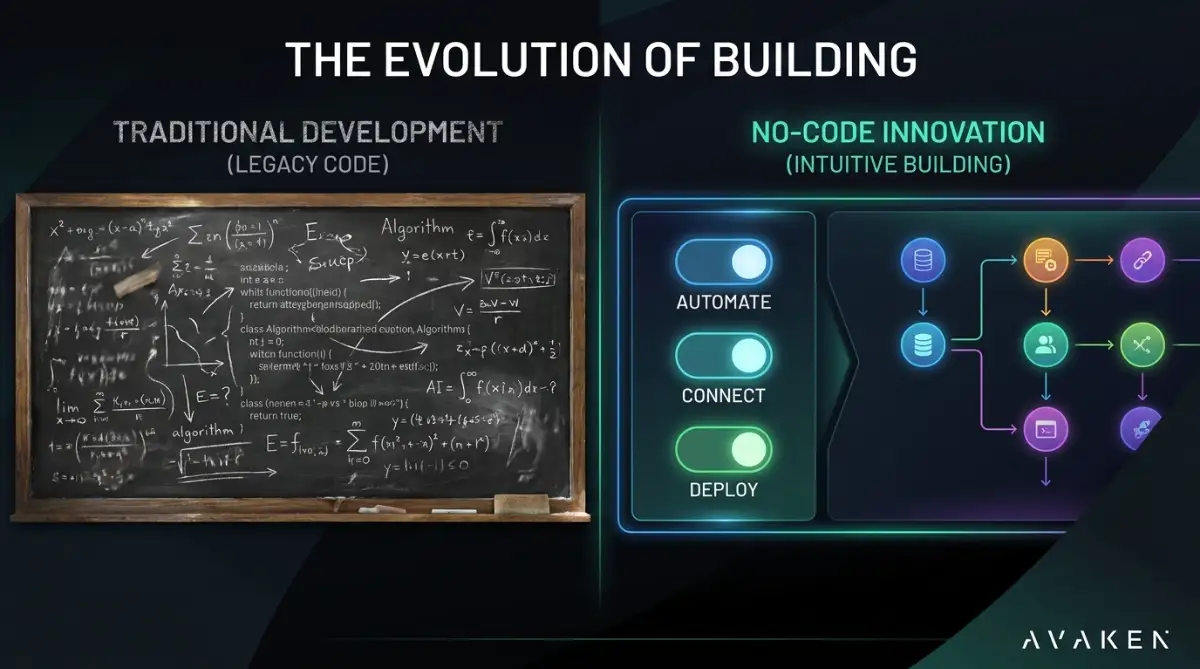
Here is how simple the logic of a basic application really is when you break it down into plain English.
Launching Version One and Facing Reality
When you finally finish clicking, dragging, and connecting your logic, you will have a working MVP. It will not be perfect. The colors might be slightly off, and the buttons might not look exactly like a billion-dollar tech company's app.
That is perfectly fine. Your goal is to solve a problem, not win a design award. Hitting the publish button is the scariest and most exciting part of the journey.
Once your product is live, your job shifts entirely. You stop being a builder and start being a listener. You must watch how real humans interact with your creation and gather their feedback.
The Honest Truth About No-Code MVPs
To help you manage your expectations, let’s look at the real advantages and the genuine limitations of launching your startup this way.
The Pros:
- You retain 100% ownership of your company without giving equity to a technical co-founder.
- You can make changes and fix bugs instantly without waiting for an agency to reply to your emails.
- Your financial risk is incredibly low, saving your budget for marketing and sales.
- You learn exactly how software works from the inside out.
The Cons:
- You will experience a learning curve to understand the visual interfaces.
- Some highly complex, custom animations might not be possible.
- If your app grows to millions of users, you may eventually need to rebuild it with custom code to handle the massive traffic.
Key Takeaways
- Never spend thousands of dollars coding an idea that you have not tested with real people yet.
- Use simple landing pages or manual concierge services to prove that strangers will pay for your solution.
- Visual development tools allow you to build fully functional software by dragging and dropping elements.
- Databases are nothing more than organized spreadsheets that store your user information.
- Launching an imperfect product quickly is always better than waiting years for a perfect product.
You no longer have an excuse to let your ideas sit on a notepad gathering dust. The tools are available, they are affordable, and they are built specifically for people like you. Start mapping out your logic today, build a simple page tomorrow, and take control of your own entrepreneurial journey.
Pushing Your First Draft to the Next Level
Once you have the basic structure of your application mapped out, you might wonder how to make it actually do the heavy lifting. The secret to modern software is that you do not have to invent every single feature from scratch. You can simply connect existing services together like digital plumbing.
This is where Application Programming Interfaces, commonly known as APIs, come into play. Do not let the acronym scare you. An API is just a digital messenger that takes a request from your app, runs to another service, and brings the answer back.
If you want to send automated text messages to your users, you do not need to build a telecom network. You just use a visual automation tool like Zapier or Make to connect your database to a service like Twilio. When a user clicks "Book Appointment," Zapier automatically tells Twilio to send the confirmation text.
Pro Tip: Do not try to build every single feature a user requests right away. I once spent three weeks adding a complicated community forum to a test project, and absolutely nobody used it. Track what your users actually click on, not just what they say they want.
Many first-time creators get completely stuck trying to build massive, highly complex platforms on day one. It is much smarter to rely on external tools to handle the complicated tasks. If you need to accept credit cards, you integrate a trusted payment gateway instead of trying to handle sensitive bank data yourself.
Here is a quick look at the reality of building a digital product today versus the old myths people still believe.
Focusing on these simple integrations allows you to operate like a massive tech company while starting a business without outside funding. You keep your costs extremely low while delivering a highly professional experience to your first customers.
The Trap of Perfectionism That Derails Founders
The absolute biggest threat to your success is not a lack of technical skill. It is your own ego and the fear of launching something that looks slightly unpolished. Many entrepreneurs fall into the trap of endless tweaking, adjusting button colors and font sizes for months on end.
When you refuse to launch because the product is not "perfect" yet, you are operating entirely on assumptions. You are guessing what the market wants. Every single day you delay your launch is another day you are missing out on real, honest feedback from actual humans.
If you look at the earliest versions of massive tech giants like Airbnb or Facebook, they looked completely amateurish. They were full of broken links and awkward layouts. However, they solved a core problem effectively, which kept people coming back.
Here is a breakdown of the typical mistakes you must avoid when testing your idea.
Common Mistakes When Launching:
- Asking your friends and family for feedback instead of strangers. Your family will lie to protect your feelings; strangers will tell you the harsh truth.
- Hiding the pricing page until the product is entirely finished. If people will not pay for the core concept, beautiful design will not change their minds.
- Trying to serve three completely different target audiences at once, which dilutes your marketing message.
If you avoid these traps, you will save yourself a massive amount of heartbreak. Learning how to properly start validating your startup idea for free is the most valuable skill you can develop as a founder.
Let's look at how overthinking practically destroys your momentum compared to a lean approach.
Your Zero-to-Launch Execution Strategy
Reading about these strategies is great, but you need a concrete plan to move forward. Transitioning from an idea in your head to a live link on the internet requires a focused, step-by-step approach.
Step 1: Define the Core Function
Write down the single most important action your user needs to take. If you are building a job board, the core function is allowing a user to upload a resume and click apply. Ignore user profiles, dark mode, and email newsletters for now.
Step 2: Choose Your Primary Tool
Select one single visual building platform and commit to learning its basics. Create a free account and spend a weekend watching beginner tutorials. Do not jump to a new tool just because you get frustrated; push through the initial learning curve.
Step 3: Connect the Payment Gateway
If your goal is to make money, set up a simple checkout link using a service like Stripe. You can embed a simple "Buy Now" button on your site without writing any complex security logic. Just ensure you are handling your legal setup properly before processing large amounts of cash.
To help you choose the right tools quickly, here is a breakdown of reliable software stacks based on what you want to build.
To execute this plan smoothly, you need to gather a few essential items first. Scrambling for these assets while you are trying to build will only slow you down and cause frustration.
Required Preparation Checklist:
- A domain name purchased through a reliable registrar (keep the name short and easy to spell).
- A highly specific, one-sentence value proposition to put at the top of your site.
- A clear understanding of your budget so you can succeed at managing initial cash flow effectively.
- A registered business bank account or digital wallet to safely collect customer payments.
- Basic brand assets, including a simple logo and two primary brand colors.
Turning a Prototype Into a Real Business
Building a product without writing code is no longer a futuristic dream. It is a highly practical, everyday reality for thousands of successful business owners across the globe. You now have the exact blueprint to bypass the traditional, expensive barriers of the tech industry.
By focusing on rapid validation and utilizing visual building blocks, you completely remove the financial risk of starting a digital business. You are stepping into a new era where your creativity and problem-solving skills matter far more than your ability to memorize programming languages.
Quick Action Checklist:
- Write down the single biggest problem your target audience faces right now.
- Sketch three extremely basic screen layouts on a blank piece of paper.
- Sign up for a free account on a visual builder platform today and drag your first button onto the screen.
I remember exactly how intimidating that blank white screen looked when I started working on my very first project. Just take it one simple block at a time, trust the process, and you will be absolutely amazed at what you can create. Which specific feature are you going to build for your users first? Let me know in the comments below!
Frequently Asked Questions About Building Software Without Code
Can I really build a tech startup without a developer?
Yes, absolutely. Modern visual platforms allow you to create fully functional web applications, directories, and marketplaces entirely on your own. You act as the product manager and the designer while the software handles the complex background logic.
Is visual programming secure for user data?
Major platforms invest heavily in enterprise-grade security and data encryption. As long as you follow standard best practices, like not leaving databases publicly accessible, your user data remains highly secure.
How much does it cost to maintain a no-code app?
Most beginners can launch their first version for under fifty dollars a month. As your user base grows and you need more storage or speed, you simply upgrade your monthly subscription tier.
Can I export my code later if I want to?
This depends heavily on the platform you choose. Some platforms lock you into their ecosystem, while others allow you to export the raw source code if you ever decide to hire a traditional development team.
What happens if my app gets thousands of users suddenly?
Most reputable platforms are built on top of massive cloud infrastructures like Amazon Web Services. They are designed to scale up automatically to handle sudden spikes in web traffic without crashing your site.
Will investors fund a company that uses these visual tools?
Investors care about traction, revenue, and user growth above all else. If you have thousands of paying customers, investors will gladly fund you, regardless of how the initial product was built.
Do I need to know graphic design to make it look good?
Not at all. Almost all visual builders come with highly professional, pre-designed templates. You can simply swap out the text and images to match your brand without needing a design degree.
How do I process payments without writing code?
Services like Stripe and PayPal offer simple, copy-and-paste integrations for visual builders. You can securely accept credit cards and Apple Pay with just a few clicks.
Is it possible to build a native mobile app this way?
Yes, there are specific platforms designed purely for mobile application development. You can build the app visually and then publish it directly to the Apple App Store and Google Play Store.