
🕒 Reading Time: 13 Mins | ✍️ Reviewed By: FinanceInfoIn Editorial Team
I still remember standing in the grocery store checkout line with just two dollars in cash and a cart full of weekly essentials. When I swiped my debit card, the terminal beeped and flashed "Declined." Panic washed over me because I knew my paycheck had just cleared the day before. Checking my banking app on my phone, my stomach dropped to the floor—my balance was completely empty.
A seemingly harmless text message I had clicked earlier that morning led to a fake login page. In a rush, I entered my details, which gave a scammer full access to my funds.
That feeling of complete helplessness and sudden financial ruin is something I never want you to experience.
Quick Summary
Online phishing scams are designed to steal your money by tricking you into handing over your bank details. Scammers use fake emails, text messages, and phone calls that look exactly like your real bank. By setting up multi-factor authentication and learning how to spot fake alerts, you can lock down your money. If you accidentally click a bad link, freezing your account immediately is your best defense.
The Silent Threat to Your Hard-Earned Money
We all work incredibly hard to put money in the bank to pay our bills and feed our families. You wake up early, put in long hours, and try your best to save whatever is left over. But hidden behind our screens, invisible thieves are working just as hard to snatch it all away.
These criminals do not need to break into your house or steal your wallet on the train anymore. They just need to send one clever message to your phone while you are distracted or tired. When you are rushing to pick up the kids or cooking dinner, a sudden text about a "frozen account" easily triggers panic.
This panic forces you to act quickly without thinking clearly. You end up handing over the keys to your financial life just to solve a problem that never actually existed. The emotional toll of this manipulation is completely devastating. Losing your money destroys your mental peace, causes sleepless nights, and makes you question everyone around you.
How Fraudsters Trick Your Brain
Scammers are masters of human psychology and emotional manipulation. They do not rely on high-tech hacking tools to get into your account. Instead, they rely on your natural instinct to protect your money.
When you receive a message saying an unauthorized payment of $500 was just made, your heart races. Your immediate thought is to cancel that payment before the money is gone forever. This fear blinds you to the tiny red flags hiding in the message.
Fraudsters create spoofed websites that look exactly like your real online banking login page. They copy the logos, the colors, and even the fonts perfectly. If you are not paying close attention to the web address at the top, you will willingly type your username and password right into their trap.
Identifying the Fake Urgent Alerts
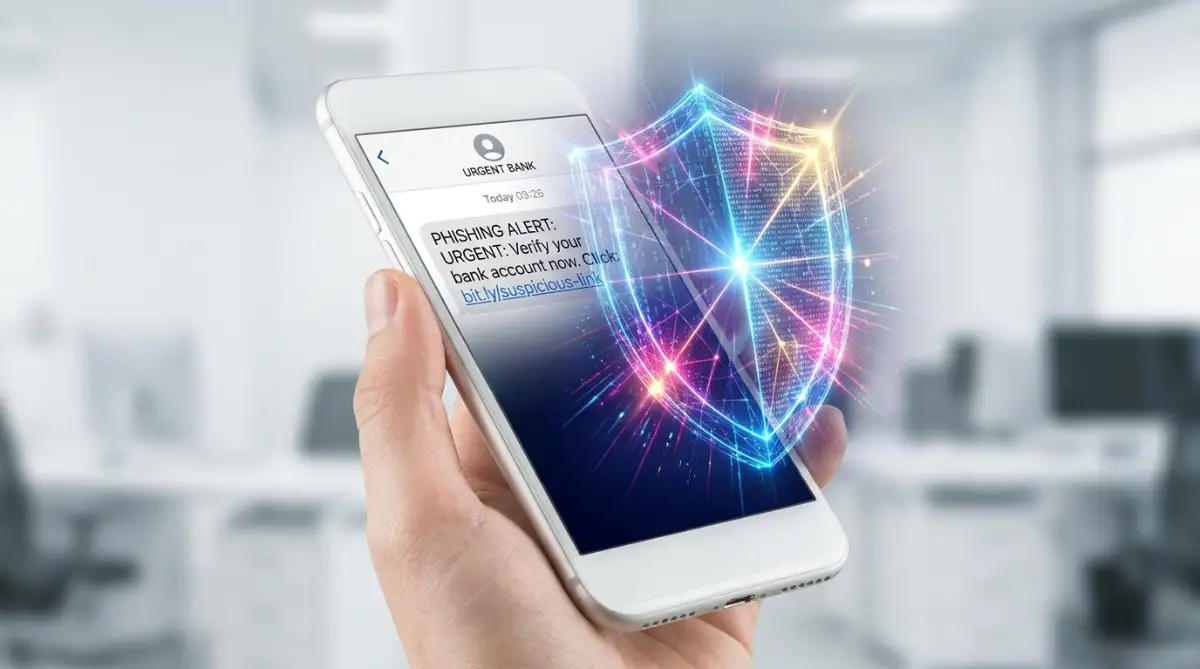
Phishing comes in many different forms today, and email is just one small part of the problem. Scammers now use text messages, a tactic known as smishing, because people trust texts more than emails. You might get a message claiming you have a package stuck at the post office and need to pay a tiny fee.
Expert Tip: Whenever you get an urgent message about your money, take a deep breath and wait exactly five minutes before doing anything. Scammers rely on your immediate panic, so simply pausing will usually help you see through their lies.
Sometimes, they will even call your phone directly, making the caller ID show the name of your local bank branch. The person on the other end sounds incredibly professional and polite. They will tell you they spotted fraud on your account and need you to read back a security code sent to your phone to "cancel" the charge.
In reality, they are trying to log into your account at that exact moment. That code they are asking for is the final step they need to bypass your security. If you read that code out loud to a stranger, your money will disappear in seconds.
Setting Up a Robust Digital Defense
Think of your personal bank account like a safe inside your home. A strong password is the combination to that safe. However, many people use the same simple combination for their email, social media, and banking. If a hacker guesses it once, they have access to everything.
You need to create a unique passphrase that is long but easy for you to remember. Instead of a single word with some numbers, use a random sentence. "BlueCoffeeCupsOnTuesday!" is much harder for a computer program to crack than "Password123".
| Security Method | What It Actually Does | Protection Level |
| Simple Password | Acts as a basic lock on the front door | Very Low |
| Complex Passphrase | Acts as a heavy deadbolt lock | Medium |
| Fingerprint/Face ID | Ensures only you can open the app physically | High |
| Multi-Factor Auth (MFA) | Requires a second key to turn the lock | Maximum |
Even with a strong passphrase, you must turn on multi-factor authentication (MFA) immediately. MFA means that even if a scammer steals your password, they still cannot get in. The bank will demand a second form of proof, like an alert on your specific mobile device, before opening the account.
Watch this quick breakdown on exactly how hackers use fake emails to steal your information, and what you should look out for before clicking anything.
What to Do If You Already Clicked a Bad Link
We are all human, and making a mistake is incredibly easy when you are distracted. I actually fell for a fake shipping notification last year while waiting for a birthday gift to arrive. I clicked the link and entered my email before realizing the website address looked completely wrong. I felt sick to my stomach, but acting fast saved me from real damage.
If you realize you have clicked a phishing link or given away your details, you must act instantly. Do not wait to see if anything bad happens first. Open your official banking app and look for the option to temporarily freeze or lock your debit and credit cards.
Once your cards are frozen, call your bank using the phone number printed on the back of your physical card. Never call a number you found in the suspicious email or text message. Tell the fraud department exactly what happened so they can monitor your account for unauthorized transfers.
Rebuilding Your Financial Security
After dealing with a close call, it is time to upgrade your daily financial habits. Stop clicking on links in emails and text messages altogether. If you get an alert saying your electric bill is overdue, open your browser and type the electric company's website address yourself.
Always check your bank statements at least once a week. Scammers sometimes test stolen accounts by charging a tiny amount, like ten cents, before stealing the rest. Catching these small, weird charges early can stop a massive financial disaster.
Protecting your personal bank account is not about becoming a computer genius. It is about slowing down, questioning unexpected messages, and using the free security tools your bank already offers. By staying alert and keeping your emotions in check, you can keep your hard-earned money exactly where it belongs.
Taking Your Digital Security to the Next Level
Once you understand the basic tricks scammers use, it is time to build a solid wall around your money. Most people use the exact same email address for their social media, online shopping, and their primary bank accounts. This makes it incredibly easy for fraudsters to target you.
I highly recommend creating a secret, dedicated email address that you only use for your financial institutions. You should never use this email to sign up for newsletters or buy things online. By keeping it completely hidden, any banking alert sent to your regular inbox is immediately obvious as a fake.
Another powerful tool you can use today is a virtual debit or credit card for your online purchases. Think of a virtual card like a digital mask for your real bank details. If you are learning about protecting your digital crypto funds, you already know how important it is to keep your main wallet isolated.
When you buy something from a new website, you can use this temporary digital card number. Even if that specific website gets hacked later, the criminals get a useless sequence of numbers. You can simply delete the virtual card from your phone app without ever needing to replace your actual physical bank card.
Quick Action Checklist
- Create a brand-new email address strictly for your banking logins.
- Download your official bank application directly from the Apple App Store or Google Play Store.
- Turn on push notifications for every single transaction, no matter how small.
- Call your phone provider and ask them to place a security pin on your SIM card.
- Freeze your credit reports with the three major bureaus to stop identity theft.
It is also incredibly helpful to review your overall financial health while updating your security settings. Taking the time to secure your money goes hand in hand with creating a solid personal budget. The safer your money is from digital thieves, the easier it becomes to plan for your family's future.
The Hidden Traps That Drain Your Savings
Even the smartest people fall into hidden traps simply because they are moving too fast. We constantly rush through our days, checking our phones while ordering coffee or waiting in traffic. This exact sense of urgency is what scammers rely on to slip past your defenses.
Common Mistakes
- Ignoring Small Test Charges: Scammers often charge tiny amounts like fifty cents to see if the card is active before stealing thousands.
- Using Open Wi-Fi: Logging into your bank at a cafe without a secure connection lets hackers grab your data right out of the air.
- Trusting Caller ID: Fraudsters easily fake phone numbers to make their calls look like they are coming from your local branch.
- Reusing Passwords: Using your streaming service password for your checking account is an open invitation for thieves.
Pro Tip: I once logged into my checking account using free Wi-Fi at a busy airport to pay a quick bill. Less than an hour later, my bank blocked a login attempt from a completely different state. Always turn off your phone's Wi-Fi and use your cellular data when checking your personal finances in public.
We often assume that financial institutions will simply refund our money if something goes wrong. However, if you voluntarily hand over your password or verification code to a scammer, banks often refuse to cover the loss. They consider it an authorized transaction because you gave the thief the digital keys.
| Network Type | Hack Risk Level | Best Safe Usage Rules |
| Free Public Wi-Fi | Extremely High | Never open financial apps here |
| Hotel/Airport Networks | Very High | Use only with a premium, trusted VPN |
| Your Cellular Data (5G/4G) | Very Low | Highly secure for checking balances |
| Secured Home Wi-Fi | Low Risk |