

Reading Time: 14 Minutes
Difficulty Level: Beginner to Intermediate
Reviewed By: FinanceInfoIn Editorial Team.
The Night I Almost Lost Everything to an Exchange Hack
I still remember the cold sweat that broke across my forehead at 2:00 AM. I was sitting in my dark living room, staring at a news headline about a major crypto exchange "pausing withdrawals." My entire life savings were sitting on that platform.
I had no control over my own money. I was at the mercy of a company I had never visited and people I didn't know. That feeling of powerlessness was a wake-up call that changed my life.
I spent the next forty-eight hours pacing my floor, waiting to see if my coins would vanish forever. Luckily, that exchange survived, but many others have not. I realized then that keeping my crypto on an exchange was like leaving my gold watch on a park bench and hoping no one would take it.
The stress of that night taught me a hard lesson about ownership. If you don't hold your own private keys, you don't truly own your digital wealth. You are just holding a promise from a website.
Most people today are living with this same silent anxiety. They check their apps every morning, praying that their login still works. This mental burden ruins the fun of investing and keeps you up at night.
I don't want you to feel that same panic. You deserve the peace that comes from knowing your money is locked in a vault that only you can open. Moving your assets to a hardware cold wallet is the only way to sleep soundly.
Table of Contents
- Quick Summary of Cold Storage
- Why Your Assets Are Not Safe on Exchanges
- Choosing the Right Hardware Vault
- Preparing Your Device for the First Time
- The Secret to a Secure Seed Phrase
- Step-by-Step: The First Test Transfer
- Moving Your Full Portfolio Safely
Quick Summary
Moving crypto to a hardware cold wallet is the most effective way to protect your wealth. A hardware wallet keeps your private keys offline, away from hackers and exchange failures. This guide walks you through buying a device, setting it up securely, and performing test transfers. By the end, you will have total control over your digital assets.
Key Takeaways
- Self-Custody is King: Holding your own keys means no one can freeze your funds.
- Offline is Safe: Cold wallets are never connected to the internet, making them immune to online hacks.
- Test Before You Trust: Always send a small amount first to verify everything is working.
- The Seed Phrase is Everything: If you lose this, you lose your money. Keep it offline and hidden.
Why Your Digital Assets Need a Physical Home
Keeping your crypto on an exchange is convenient, but it is incredibly risky. Exchanges are massive targets for hackers because they hold billions of dollars. Also, if an exchange goes bankrupt, your funds could be tied up in court for years.
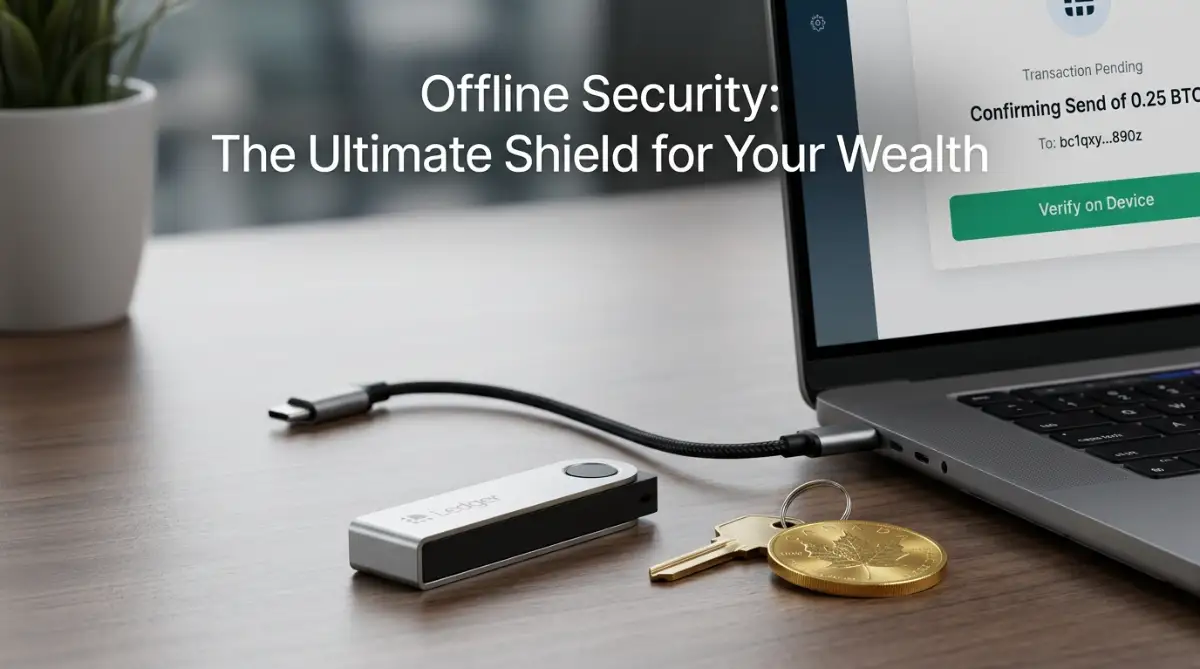
A hardware cold wallet is a physical device that looks like a USB drive. Its only job is to store your private keys in a secure, offline environment. When you use one, your "signature" for a transaction happens inside the device, not on your computer.
Expert Tip: Think of an exchange like a busy hotel lobby. It is great for meeting people and moving around, but you wouldn't keep your life savings in a suitcase there. Your hardware wallet is like a private, heavy-duty safe hidden inside your own home.
Selecting Your Secure Hardware Device
There are many devices on the market, but you should only stick to well-known brands. The two biggest names are Ledger and Trezor. Both have been around for years and have strong track records.
The most important rule is to never buy a used device. Also, never buy from a third-party site like eBay or a random seller on Amazon. Only buy directly from the manufacturer's official website.
If someone sells you a device that they have already opened, they might have recorded the recovery words. They could wait until you put money on it and then steal everything. Always check that the shrink wrap and security seals are perfectly intact.
The Step-by-Step Setup Process
Once your device arrives, you need to set it up carefully. Start by downloading the official software from the manufacturer's website. For Ledger, this is "Ledger Live," and for Trezor, it is "Trezor Suite."
Connect your device to your computer using the cable provided. The device will ask you to set a PIN code. This is like the code on your phone. Make it something only you know, but don't make it too easy like "1234" or "0000."
Next, the device will generate your recovery seed phrase. This is usually a list of 12 or 24 random words. This is the most important part of the entire process. These words are the master key to your money.
If your device is ever lost, stolen, or broken, you can buy a new one and enter these words to get your money back. However, if a stranger gets these words, they can take your money in seconds.
Pro Tip: I once thought about taking a photo of my seed phrase on my phone for "safekeeping." I quickly realized that if