Reading Time: 15 Minutes
Difficulty Level: Beginner to Intermediate
Reviewed By: FinanceInfoIn Editorial Team
Table of Contents
- Staring at the Departure Board in Disbelief
- The Golden Rule of Passenger Identification
- Handling Tricky Middle Names and Initials
- Hyphens, Spaces, and Special Characters Explained
- The Honeymoon Dilemma: Maiden vs. Married Names
- Generational Suffixes (Jr., Sr., III) and Titles
- Single Names and Mononyms (Having Only One Name)
- What Actually Happens When You Make a Typo
- The Financial Cost of Name Corrections
Quick Summary
Entering your name correctly on an airline ticket is mandatory for airport security and boarding approval. Your ticket must perfectly match your government-issued ID or passport, letter by letter. Special characters like hyphens or spaces are often removed by airline systems automatically. Small typos must be fixed within the airline's 24-hour grace period to avoid heavy change fees.
Key Takeaways
- Always book your ticket using the exact name shown on the specific ID you will present at the airport.
- Do not use nicknames, short names, or professional titles (like Dr. or Rev.) in the name fields.
- Middle names are helpful but usually not mandatory unless they are officially merged with your first name on your passport.
- If you recently got married, book under the name that matches your current, valid physical ID.
- Airline booking systems almost always smash hyphenated names together, which is completely normal.
Staring at the Departure Board in Disbelief
Staring at a boarding pass with a typo in your last name while the security agent shakes their head is the absolute fastest way to ruin a vacation. You probably thought typing "Chris" instead of "Christopher" was a harmless shortcut. After all, everyone calls you Chris, right?
Now, you are standing off to the side, sweating through your shirt. Everyone else is casually rolling their luggage toward the departure gate. You are stuck trying to explain to a very unamused airline worker that you are, in fact, the person on the ticket.
This happens to thousands of travelers every single day. We spend hours hunting for the cheapest flights, picking the best seats, and packing our bags. Yet, we rush through the most sensitive part of the checkout process: typing our own names.
A single wrong letter, a forgotten middle name, or confusion over a hyphen can trigger massive security flags. When the system detects a mismatch between your ticket and your government ID, the automated gates simply will not open for you.
You are suddenly forced to deal with customer service lines, frantic phone calls, and the terrible realization that you might miss your flight entirely. The anxiety of watching the clock tick down to departure while a ticketing agent types aggressively on their keyboard is something no one should experience.
The Golden Rule of Passenger Identification
The absolute baseline for booking any flight is matching your government identity perfectly. Airlines do not care what your friends call you. They do not care what name is printed on your gym membership or your office ID card.
They only care about the physical, government-issued document you will hand to them at the airport. For domestic flights, this is usually a driver’s license or state ID. For international travel, it is your passport.
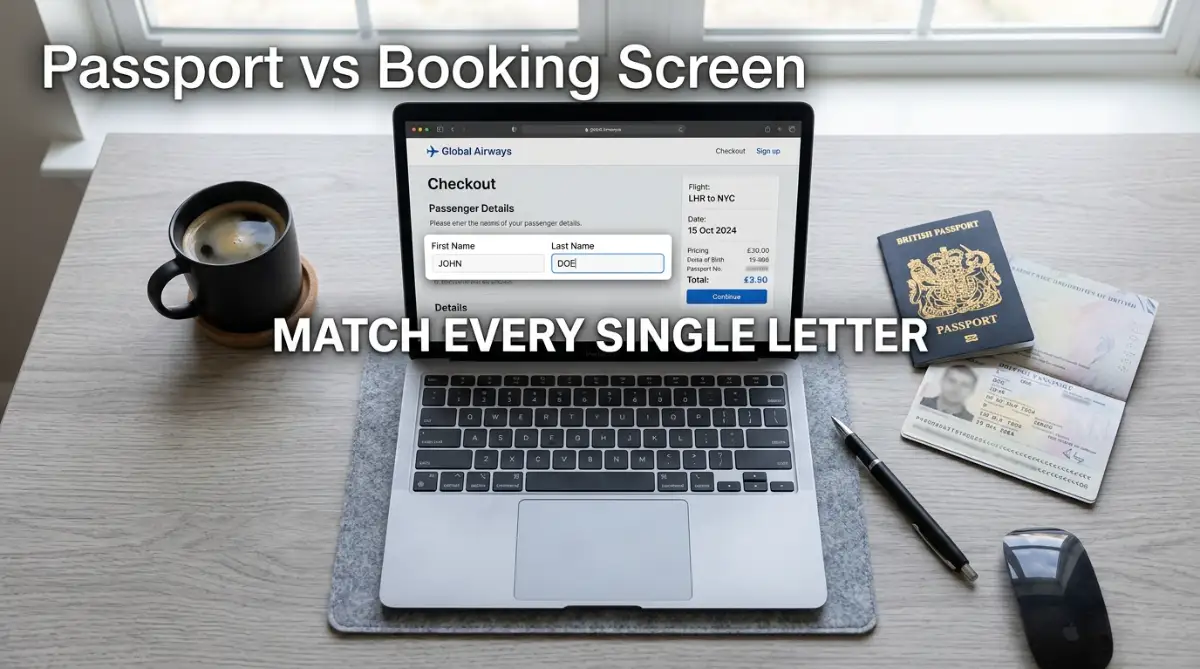
If your passport says "William Thomas Smith," you cannot book your ticket as "Bill Smith." You must type "William" in the first name box and "Smith" in the last name box. The name on the reservation must satisfy the strict requirements of aviation security programs around the world.
These security databases run background checks using the exact spelling you provide. If the spelling is off, the system assumes you are a completely different person.
Confusing Alternative Comparison: Which Document Rules Them All?
People often get confused about which name to use because our names exist in different formats across different cards. Let's clear up exactly which document you should trust when typing your details.
Always pull out the specific ID you plan to travel with before you start typing. Do not rely on your memory. Look at the text printed on the plastic or paper, and copy it exactly as it appears.
Handling Tricky Middle Names and Initials
Middle names cause more panic among travelers than almost any other booking detail. You look at your passport, see your middle name, and then look at the airline website, which often does not even have a specific middle name box.
If the airline website has a dedicated field for a middle name, go ahead and type it in exactly as it appears on your ID. If they only ask for a "First Name" and "Last Name," you generally do not need to squeeze your middle name in.
However, many travelers prefer to add their middle name right next to their first name in the first name box. For example, typing "Sarah Marie" in the first name box. This is perfectly fine and often helps distinguish you from someone else with the exact same first and last name.

You might notice something strange when your boarding pass finally prints. The airline system will often combine your first and middle name into one giant word without any spaces. "Sarah Marie" suddenly becomes "SARAHMARIE" on the paper ticket.
Do not panic if this happens. Security agents and airline staff see this every single day. The airline's legacy computer systems are built on very old technology that routinely ignores spaces between names. As long as the letters themselves match your ID, you will clear security without any issues.
Hyphens, Spaces, and Special Characters Explained
If you have a hyphenated last name or an apostrophe in your name, booking a flight can feel like a stressful guessing game. Names like "O'Connor" or "Smith-Jones" are incredibly common, but airline websites absolutely hate punctuation marks.
Most booking systems will reject hyphens, apostrophes, and sometimes even spaces. If you try to type "O'Connor," the website might show a red error message saying "Invalid Characters."
The industry standard solution is to simply omit the punctuation. You should type "OConnor" or "SmithJones" directly into the box.
Expert Tip
I once booked a flight for a friend named "Anne-Marie". The airline system completely deleted the hyphen and pushed the names together. We panicked and called customer service. The agent laughed and explained that global aviation computers do not recognize punctuation. Since then, I always type hyphenated names as one continuous word to avoid system errors.
Aviation software was built decades ago when character limits were strict and punctuation was ignored. When you hand your ID to the security agent, they will mentally add the hyphen or apostrophe back in. They know exactly how these computer systems mangle complex names.
The Honeymoon Dilemma: Maiden vs. Married Names
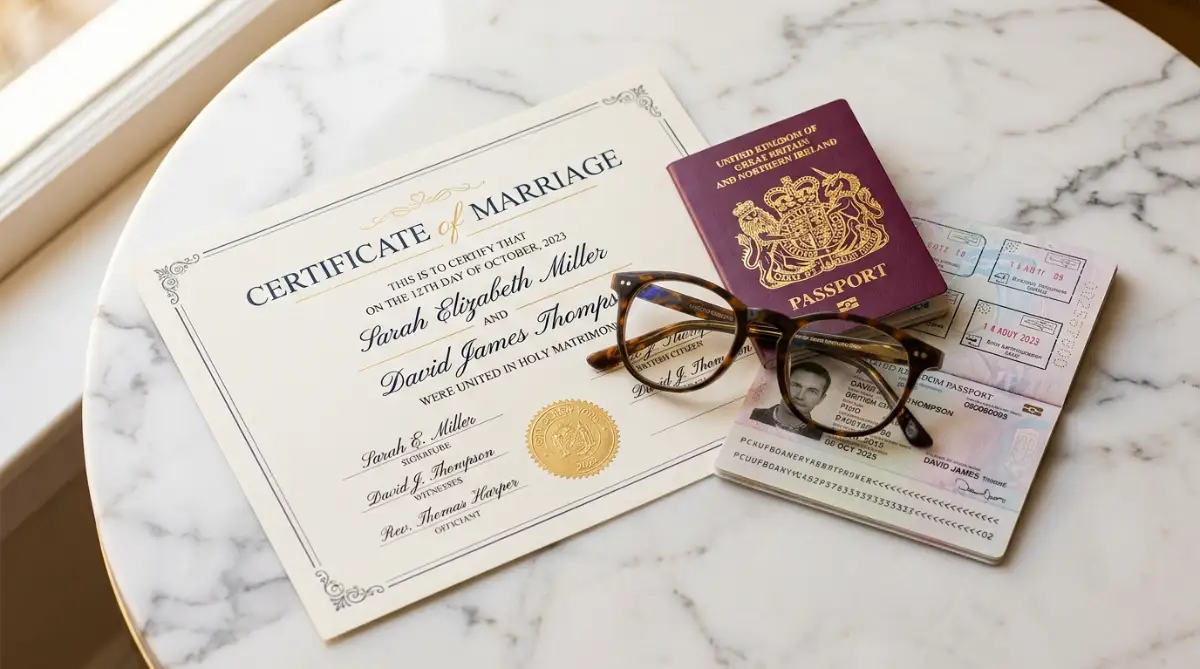
Getting married brings a lot of joy, but it also brings a massive headache when booking a honeymoon flight. You might have just taken a new last name, but your physical passport still shows your maiden name.
Which name do you type into the checkout page? The answer is always the name that is currently printed on your valid ID.
Do not book your flight under your brand-new married name if your updated passport will not arrive before your trip. Airport security does not care about your marriage certificate. They cannot scan a marriage license.
If your ID says your maiden name, your airline ticket must also say your maiden name. It feels a bit strange to travel under your old name right after getting married, but it guarantees you will get on the plane without being pulled into a security room.
Honest Pros & Cons: Waiting for a New Passport vs. Booking Now
If you are trying to decide whether to update your ID before booking, consider these points carefully.
- The Pros of Booking with Your Current Maiden Name:
- You can lock in cheap flight prices today.
- Zero risk of waiting for government processing delays.
- No need to carry extra legal documents to the airport.
- The Cons of Booking with Your Current Maiden Name:
- You do not get to use your new married name on your trip.
- Hotel reservations might be under a different name if you mix them up.
- Your frequent flyer account might need manual adjustments later.
If you already accidentally booked under your new married name, but your ID still shows your maiden name, you must contact the airline immediately. Some airlines will allow a free name change if you email them a copy of your marriage certificate, but this process takes time.
[Stop Here! Watch This Short Video to See Exactly How TSA Checks Your Name]
Before we dive into the painful financial costs of name corrections, take a quick look at this brief explanation. This video perfectly breaks down how the Secure Flight system reads your ticket data behind the scenes.
Generational Suffixes (Jr., Sr., III) and Titles
If you share an exact name with your father or son, you likely rely on a suffix like Jr., Sr., or III to tell yourselves apart. Airline systems handle suffixes very poorly.
Sometimes there is a specific dropdown menu for suffixes during checkout. If that dropdown exists, use it. If there is no specific box for a suffix, do not try to attach it to your last name.
Typing "Smith Jr" in the last name box can confuse the automated kiosks at the airport. The machine will look for a last name that literally includes the letters J and R. Most airlines advise leaving the suffix off entirely unless there is a dedicated field for it.
What about professional titles? If you are a doctor, a judge, or a military officer, never include "Dr." or "Capt." in your name fields.
Titles are not part of your legal identity for travel security purposes. Adding them will cause a direct mismatch with your passport, which only lists your given names. Save the professional titles for your luggage tags, not your boarding pass.
Single Names and Mononyms (Having Only One Name)
Some cultures and nationalities issue passports where individuals have only one single name, known as a mononym. This completely breaks the traditional "First Name" and "Last Name" requirement on most western airline websites.
If you try to leave the first name box blank, the website will not let you proceed to payment. You will just see a flashing red requirement warning.
The universally accepted workaround for travelers with only one name is to enter "FNU" (which stands for First Name Unknown) in the first name box, and type your actual single name into the last name box.
Alternatively, some airlines tell you to type your single name in the last name box, and simply use a title like "Mr" or "Ms" in the first name box. Because this rule varies heavily between airlines, it is always safest to call the specific carrier's booking desk and ask how they want you to format a single name.
What Actually Happens When You Make a Typo
Let’s look at a realistic situation. David is booking a flight to London. He is tired after a long day of work and accidentally types "Davdi" instead of "David". He hits purchase and goes to sleep.
Two weeks later, he checks his app and sees the spelling error. Will they let him fly? The general industry consensus is the "Three Letter Rule."
Many airlines will quietly overlook a typo if it is three letters or fewer, provided the mistake does not create an entirely new, recognizable name. However, this is an unwritten grace policy, not a legal guarantee.
A friendly agent might wave David through. A strict agent might deny him boarding completely. You should never rely on the goodwill of an airport employee to fix your spelling mistakes. If you spot an error, you must take action to correct it before you leave for the airport.
The Financial Cost of Name Corrections
Real-Life Math / Case Example: The Cost of Waiting
Let’s say Sarah books an $850 international flight to Tokyo. Forty-eight hours later, she realizes she booked it under a nickname instead of her legal passport name. She calls the airline. Because she missed the standard 24-hour free cancellation window, the airline treats this as a complete ticket cancellation and rebooking. They charge her a $200 change fee. Plus, the price of the flight has gone up since yesterday, requiring a $150 fare difference. Her simple naming mistake just resulted in a total financial loss of $350.
This is why the first 24 hours after booking are so incredibly important. In many countries, aviation laws require airlines to offer a 24-hour grace period where you can cancel or change a ticket for free.
If you spot your typo within that first day, you are safe. You can usually fix it online or with a quick phone call without spending a dime. Once that window closes, you are at the mercy of the airline's specific fee structure.
Booking through third-party websites (like online travel agencies) makes name corrections miserable. The airline will tell you to call the agency, and the agency will tell you they need airline approval. You end up stuck in a loop of holding music while the fees stack up.
This is why booking directly with the airline is always the smartest move. If you make a mistake, you only have one company to deal with.
Always double-check your screen before you hand over your credit card details. Read the name out loud. Match it to the physical ID sitting on your desk. Taking an extra sixty seconds to review those letters will save you hundreds of dollars and protect your peace of mind at the airport.
Smart Habits for Flawless Flight Reservations
Mastering the airline booking process is not just about avoiding immediate errors. It is about setting up a long-term strategy so you never have to worry about name mismatches again. The smartest travelers do not type their names manually every time they want to fly.
Instead, they rely on verified frequent flyer profiles. When you create an account directly with an airline, you can enter your exact passport details once. The system saves this data securely. From that point on, every ticket you purchase while logged in will automatically pull the correct spelling.
This entirely removes human error from late-night or rushed booking sessions. If you are planning a complicated itinerary, learning how to book multi-city flights step by step is much safer when your primary passenger details are already locked into the system. You just select your name from a dropdown menu and proceed to payment.
However, you must be extremely careful with browser autofill features. Your internet browser often saves variations of your name from online shopping or food delivery apps. If you let Google Chrome or Safari auto-fill the airline checkout page, it might accidentally insert a nickname.
Pro Tip: I always keep a high-quality scanned copy of my passport in a secure folder on my phone. Whenever I book a flight, I open that image and visually compare it to the checkout screen before hitting the buy button. This simple five-second habit has saved me from expensive typos multiple times.
To understand how different booking methods affect your risk of making a mistake, look at this comparison.
Booking Methods vs. Risk Levels
Whenever possible, book directly with the airline while logged into your verified account. This creates a digital safety net. If an emergency happens and you need to know how to handle a cancelled flight booking without losing money, registered members always get faster customer service support than guest checkouts.
The Most Expensive Booking Pitfalls to Avoid
Even smart travelers fall into traps when they rush through the payment screen. One of the biggest hazards is booking flights for family members or friends. You might assume you know your best friend's exact legal name, but people often hide middle names or use variations of their given name.
Never guess someone else's legal identity. Always ask them to send a photo of their ID before you buy their ticket. Guessing a middle name or adding a suffix that does not exist on their paper ID will cause a massive headache at the airport. This is one of the most painful mistakes to avoid when booking international flights online.
Another major danger is ignoring the 24-hour correction window. Many people spot a typo on their confirmation email but tell themselves they will fix it later.
As time passes, airlines lock the ticket price and enforce strict modification penalties. A simple spelling mistake can quickly turn into a total ticket replacement cost.
Common Mistakes Travelers Constantly Make
- Trusting everyday nicknames: Using "Alex" instead of "Alexander" because you never use your full name in daily life.
- Booking under a married name prematurely: Updating a ticket to a new married name before the government has mailed the physical updated passport.
- Ignoring confirmation emails: Archiving the airline receipt without reading the passenger details printed at the top of the message.
- Mixing up the name boxes: Accidentally typing your last name in the first name box, which triggers severe security mismatches.
Many travelers are completely misled by bad advice on internet forums regarding ticket rules. Let's clear up these misunderstandings immediately.
Myth vs Reality: Airline Name Rules
Your Immediate Action Plan for Next Time
Knowing the rules is helpful, but applying them is what actually protects your wallet. You need a solid system before you even open an airline website.
If you are planning to book a trip soon, follow this exact sequence to guarantee a stress-free checkout.
The Exact Step-by-Step Execution Guide
- Locate your physical travel ID: Walk to your drawer and pull out the exact passport or driver's license you will carry on the day of the flight.
- Clear your browser autofill: Turn off automatic form filling in your browser settings so it does not inject old nicknames into the airline form.
- Type the exact letters shown: Copy your first and last name directly from the plastic card. If you have a hyphen, omit it and type the names together.
- Pause before payment: Stop and read the names aloud. Ensure the first name is in the first box and the last name is in the last box.
- Review the immediate receipt: The second your confirmation email arrives, check the spelling again. Call the airline instantly if you spot a flaw.
To make this process foolproof, you should prepare your documents ahead of time. Do not wait until the airline seat sale is ending to scramble for your information.
Required Document Checklist
- A valid, unexpired government photo ID or passport.
- Your active frequent flyer account number.
- A secure credit card (Ensure the billing name matches the card, even if the passenger name is different).
- Your TSA PreCheck or Global Entry Known Traveler Number (KTN).
Quick Action Checklist
- Verify your ID matches your current legal name.
- Update your airline frequent flyer profile to match your ID.
- Check that your hotel reservations match your flight name (learn how to avoid hidden fees when booking a hotel online).
- Review your final itinerary within the first 12 hours of purchase.
Ready for a Stress-Free Airport Experience?
Booking a flight should be the most exciting part of planning an adventure, not a source of extreme anxiety. By simply matching your travel documents letter for letter, you remove the biggest hurdle standing between you and your departure gate. You are now fully equipped to handle middle names, missing spaces, and confusing suffixes like a true travel expert.
I remember the exact moment I realized I had been typing my own name wrong for years, relying entirely on luck to get through security. Today, I always double-check my screen against my physical passport before I ever reach for my wallet. My best advice to you is to slow down, ignore the countdown timers on booking websites, and protect your peace of mind.
Which upcoming trip are you currently planning, and did you check your passport name today? Let me know in the comments below!
Top Passenger Questions Answered
Do I need to include my middle name on an airline ticket?
You only need to include your middle name if the airline specifically asks for it, or if it is heavily required by a specific international destination. However, most domestic flights will allow you to board without a middle name as long as your first and last name match your ID perfectly.
What happens if I put my last name as my first name?
This is a major security mismatch. The automated airport scanners will reject your boarding pass. You must contact the airline immediately to flip the names, which usually requires a phone agent to manually reissue the ticket.
Can I fly if my ID has my maiden name but my ticket has my married name?
No, you will likely be denied boarding. The name on the ticket must exactly match the physical ID you hand to the security agent. If they do not match, you must bring a legal marriage certificate, though this is heavily dependent on the mood of the specific agent.
Why did the airline smash my first and middle name together?
Airline booking software uses outdated global systems that simply do not recognize blank spaces. If your name says "JOHNMICHAEL" on the boarding pass, it is completely normal. Security agents are fully trained to read combined names.
Can I correct a typo on my ticket for free?
If you catch the typo within 24 hours of booking, almost all airlines will correct it or allow you to cancel for free. After 24 hours, most airlines will charge a name change fee or a full ticket cancellation penalty.
Do suffixes like Jr. or Sr. matter on a flight ticket?
Unless the booking page has a specific dropdown menu for suffixes, you should generally leave them off. Typing "Jr" directly into the last name box can confuse the scanning machines at the security checkpoint.
What if I only have one single name (a mononym)?
If you only have one legal name, enter "FNU" (First Name Unknown) in the first name box and your actual name in the last name box. Always contact the specific airline before checking in to ensure their system accepts this global standard.
Will TSA PreCheck work if my middle name is missing on the ticket?
Usually, yes. As long as your Known Traveler Number (KTN) is attached to your booking and your first and last names match, PreCheck typically functions normally. However, an exact match of all names guarantees the highest success rate.
Is it okay to use a short name like 'Dan' instead of 'Daniel'?
Absolutely not. You must use the full legal name printed on your government ID. Using a nickname will cause an instant rejection when the security agent compares your ID to your boarding pass.
Should I include titles like Dr. or Rev. on my ticket?
No, professional titles are not part of your legal identity for aviation security purposes. Adding them to the first or last name boxes will create a mismatch with your passport and cause unnecessary boarding delays.
Trusted Legal Resources
- Transportation Security Administration (TSA) Secure Flight Program
- U.S. Department of Transportation (DOT) Aviation Consumer Protection
- International Air Transport Association (IATA) Passenger Standards
- U.S. Customs and Border Protection (CBP) Travel Requirements
- U.S. Department of State - Passport Name Changes
- Global Entry Official Guidelines
Disclaimer
The information provided in this article on FinanceInfoIn is for general educational and informational purposes only. It does not constitute legal, financial, or professional travel advice. Airline policies and government security regulations change frequently and vary by country. Always consult directly with your specific airline and relevant government agencies regarding passenger identification rules before making travel arrangements. FinanceInfoIn and its team are not liable for any denied boarding incidents, financial losses, or travel disruptions resulting from the use of this information.
About the Author
Reviewed by Mithun Halder (Personal Finance & SEO Expert) & The FinanceInfoIn Editorial Team
The FinanceInfoIn Editorial Team researches personal finance, investing, insurance, mortgages, cryptocurrency, and consumer financial topics. Every article is carefully reviewed to provide clear, practical, and trustworthy educational information based on credible sources and industry best practices.
©2026 FinanceInfoIn. All rights reserved.


