
The Daily Grind: How Boring Tasks are Quietly Stealing Your Life
Do you wake up dreading the endless pile of copy-paste work waiting for you? You sit at your desk, open three different spreadsheets, and start moving data manually. It feels like you are a robot trapped in a human body.
Your energy drains before you even get to do any creative work. By lunch, your brain is tired from typing the same emails and updating the same status trackers. This is the reality for millions of office workers every single day.
We spend precious hours on tasks that do not grow our skills or help our careers. It is exhausting, and it makes you feel like you are running on a treadmill going nowhere.
- Most online guides tell you to learn complex coding or programming scripts, which takes months to master.
- Many popular automation tools cost hundreds of dollars every month, making them too expensive for normal workers.
- The sheer number of artificial intelligence tools creates confusion, leaving you unsure of which one to trust.
- Many articles give vague advice without showing you the actual click-by-click steps to set things up.
- You might try a tool once, get a confusing error message, and immediately give up out of frustration.
- Doing boring, repetitive work makes you feel stuck and stops you from growing professionally.
- The constant worry of making a small typing mistake in a report keeps your stress levels high all day.
- When you spend all your energy on administrative tasks, you have no mental strength left for your family.
- You start doubting your own value, wondering if a simple computer script could easily replace your entire job.
- The daily mental strain leaves you feeling burnt out before the weekend even arrives.
Let us look at a real example to see how this plays out in real life. Meet Sarah, a customer support manager. She spends two hours every morning reading customer feedback and sorting them into folders.
After that, she copies the details into a weekly progress sheet. By the time she finishes, she is too tired to talk to clients with a warm smile.
One small copying error can ruin the entire weekly report, causing her boss to question her attention to detail. This constant worry ruins her sleep and breaks her confidence.
This is not just about losing time. It is about losing your focus, your drive, and your joy at work. We need a simple, stress-free way to hand these boring tasks over to smart machines.
Think of your daily mental energy as a phone battery. If you spend 40% of your battery on copy-pasting data in the morning, you only have 60% left for actual decision-making.
This means you make poorer choices later in the afternoon. You might miss a great business idea or fail to solve a complex client problem because your brain is fried.
Automating these steps is no longer just a cool trick. It is a necessary shield to protect your mental health and keep your career moving forward.
Your Action Plan: Three Simple Ways to Put Your Work on Autopilot
Let us break down how you can start changing this today. You do not need to be a software developer or a tech genius to do this.
We will use simple, free artificial intelligence tools to handle the heavy lifting. Here are the first three practical steps to win your time back.
Dealing with emails is one of the biggest time-wasters in any office. We often spend hours reading, sorting, and replying to messages that only need a simple answer.
You can fix this easily by setting up a simple workflow with a free AI assistant. First, create three specific folders in your email account: "Urgent Action," "Read Later," and "No Reply Needed."
Instead of reading every word of a long email thread, copy the text and paste it into your AI assistant. Use a simple, natural prompt to get a quick summary.
Here is an exact prompt you can copy and paste today: "Read this email thread. Give me a two-sentence summary, list any deadlines mentioned, and tell me which folder it belongs to."
The AI will analyze the text instantly and give you exactly what you need. This saves you from reading pages of polite office chatter just to find one simple date.
You can also ask the AI to draft a polite reply for you. Simply type: "Draft a friendly email saying I received their file and will review it by Thursday."
The tool will write a professional response in seconds. You just have to copy, paste, and hit send. This simple trick can easily cut your email time in half.
Writing status updates for your team or manager is another repetitive chore. You know what you did during the week, but turning those thoughts into a polished report takes a lot of time.
Many people stare at a blank screen for an hour trying to find the right professional words. You can easily let AI do the writing while you keep the control.
Keep a simple notepad file open on your desktop during the week. Whenever you finish a task, just write down a quick, messy bullet point about it.
For example, you might write: "fixed the login bug, talked to client about contract, updated the team sheet." Do not worry about grammar or spelling at this point.
At the end of the week, copy your messy list and paste it into your AI tool. Use this prompt: "Act as a helpful office assistant. Turn these messy notes into a professional weekly update for my manager. Use clean bullet points and a polite tone."
The AI will transform your rough notes into a beautiful, ready-to-send update in seconds. It uses clear action verbs and formats everything nicely for your manager.
This ensures your reports look highly professional without you spending hours writing them. Your manager will love the clear format, and you will love saving your energy.
Think about how much time you waste in meetings, trying to write down every single word people say. You cannot focus on the actual discussion because you are too busy typing notes.
After the meeting, you have to spend more time organizing those notes and emailing them to everyone. This is a perfect task to hand over to artificial intelligence.
You can use free transcription tools to record the meeting audio and turn it into written text. Once you have the text transcript, paste it into your AI tool.
Give the AI a clear instruction: "Read this meeting transcript. List the main decisions made, the key action items, who is responsible for each task, and the deadlines."
Within seconds, you will get a clean, organized list of action items. You can share this list with your team immediately, keeping everyone on the same page.
This allows you to be fully present during the meeting. You can listen closely, share ideas, and make better decisions because you are not stressed about writing notes.
Using AI this way is based on a simple scientific rule called cognitive load theory. Your brain has a limited amount of processing power at any given time.
By offloading the mechanical task of note-taking to AI, you free up your brain to do the actual thinking. This makes you more productive and much less tired by the end of the day.
When you start using artificial intelligence at work, you must think about privacy. You should never paste sensitive company information, like client names or private financial data, into public AI tools.
Instead, use placeholder words when drafting your prompts. For example, if you want to draft an email to a client named John from ABC Company, replace those names in your prompt.
You can write: "Draft an email to [Client] at [Company] about their upcoming project." Once the AI generates the text, you can fill in the real names manually in your email app.
This simple step keeps your company data safe and protects your job. Many modern companies now have specific rules about using AI, so always check your office guidelines first.
By practicing safe data habits, you show your manager that you are not only fast but also responsible. This builds trust and shows you are a true professional.
Do not try to automate your entire workday overnight. That will lead to confusion and frustration.
Instead, choose just one repetitive task to focus on this week. Master that specific automation until it becomes a natural part of your daily routine.
Once you feel comfortable with that tool, move on to the next task on your list. Over time, these small changes will add up to hours of saved time each week.
You will suddenly find yourself with free hours during the day. You can use this time to learn new skills, work on big projects, or simply enjoy a stress-free lunch break.
The goal of automation is not to make you work faster so you can do more boring tasks. The goal is to clear away the busywork so you can focus on what truly matters to you.
Taking Control: Professional Tips for Long-Term AI Success
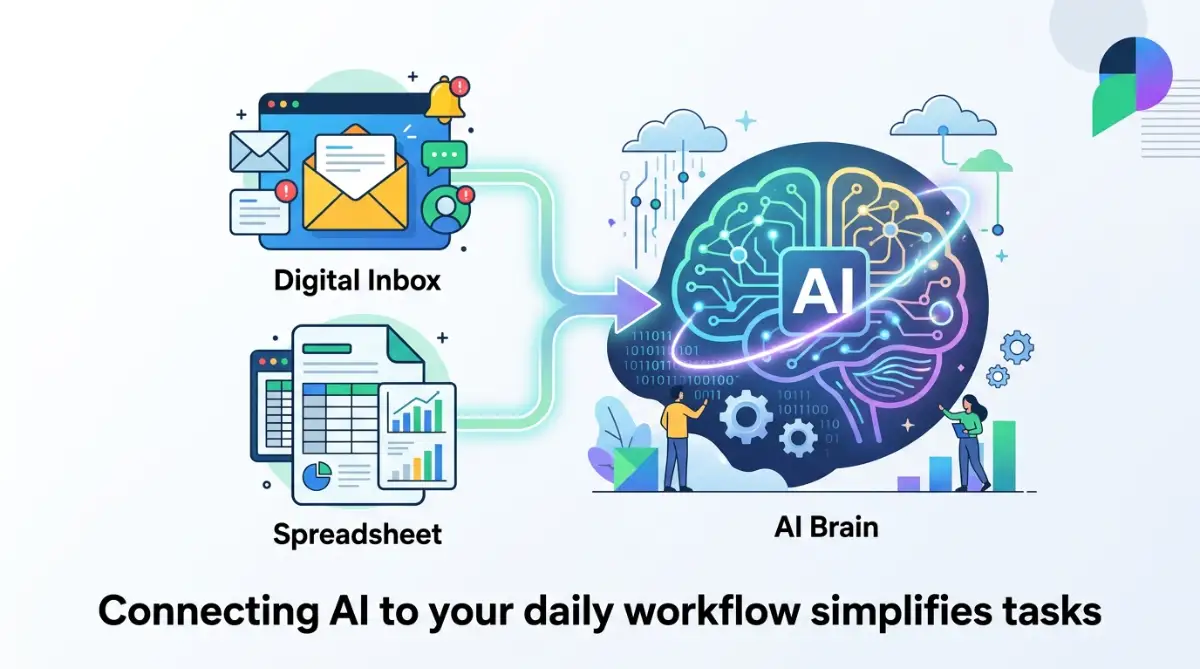
Using artificial intelligence for basic tasks is only the first step. To truly save hours of work, you need to use advanced methods that connect different tools together.
According to workplace research discussed on Forbes, modern artificial intelligence tools can speed up routine tasks by up to eighty percent[1]. This massive speed improvement allows you to focus on strategic decisions instead of getting stuck in boring administrative cycles[2].
Research from the Harvard Business Review shows that segmenting your tasks for automation helps teams manage their heavy workloads much more effectively[3][4]. When you know exactly which parts of your job to automate, your daily stress drops significantly.
Connect Your Favorite Office Apps with Simple Rules
You do not have to copy and paste data between tools manually. Instead, you can use simple online bridge programs to connect your email, spreadsheets, and writing tools.
For example, when a new customer fills out a form on your website, a bridge program can automatically send that data to your AI tool. The AI will write a draft response and save it in your email drafts folder.
This type of automated workflow is incredibly helpful for small businesses operating on tight budgets. If you run a small business, you already know that manual data entry can cause serious delays. In fact, keeping manual work to a minimum is one of the main ways to prevent cash flow problems, which explains why bootstrapped startups collapse early and cash flow fixes are so critical.
Teach Your AI Helper to Write Like You Do
One common complaint about artificial intelligence is that the writing can sound robotic and dry. You can solve this issue by training your favorite chatbot to match your unique writing style.
To do this, gather three of your best-written emails or reports that you wrote yourself. Paste them into the chatbot and type: "Analyze these files and write down my tone, sentence structure, and style rules."
The tool will study your patterns and save them. The next time you ask it to draft a message, simply add: "Write this using my saved writing style."
This ensures all your communications remain natural, warm, and professional. It also keeps your personal brand intact while saving you hours of writing time.
The Weekly Review: Checking Your Automated Workflows
Automations are not set-and-forget machines. You need to review them regularly to make sure they are still running correctly.
Think of this weekly checkup as a preventative inspection for your digital workspace. It is very similar to checking for major warning signs to spot in a home inspection before buying a house. You must look for broken links, outdated prompts, or minor errors before they create a massive headache for you or your team.
Set aside fifteen minutes every Friday afternoon to test your prompts. Update any outdated information and make sure your connected tools are still talking to each other.
This simple habit keeps your systems running beautifully without any unexpected surprises on Monday morning. It also builds your confidence in using digital tools long-term.
As tools update, their settings might change slightly. If a prompt stops working, do not panic or throw away the tool.
Usually, a simple change in your wording will fix the issue immediately. Keep a small document where you save your best-performing prompts for easy access.

Hidden Roadblocks: Five Common Mistakes to Stop Making Right Now
Transitioning to automated work can be exciting. However, many people make simple errors that end up costing them more time than they save.
By knowing these traps beforehand, you can protect your career and your sanity. Let us look at the five biggest mistakes you should avoid.
Blindly Trusting Every Single Output Without Fact-Checking
Artificial intelligence is incredibly smart, but it can make mistakes and present them as absolute facts. If you send an unedited AI report to your manager, you risk sharing incorrect data.
Always read through the generated text carefully before sending it. Treat the tool as a helpful assistant, but keep yourself as the final editor.
This simple check protects your professional reputation. It also ensures that your work remains accurate and trustworthy.
Sharing Highly Sensitive Company Data with Public Chatbots
Many workers accidentally paste private business files or customer lists into free online tools. Most free platforms use your inputs to train their models, which means your private data could be exposed.
You must practice extreme caution with the information you share. Just like learning easy security steps to secure your crypto wallet keeps your digital money safe, hiding your company's private details protects your job.
Always remove names, private numbers, and financial data before pasting text into a prompt. If you need to summarize a report, use general terms like "Client A" or "Product B."
Over-Complicating Your Daily Tasks with Too Many Tools
It is easy to get excited and download five different programs at once. However, managing too many tools quickly becomes overwhelming and actually slows you down.
You do not need a complex system of ten different applications to be highly productive. Start with one simple, reliable chatbot and master it completely.
Once that single tool is saving you time, you can carefully add other platforms. Keeping things simple is the best way to ensure long-term success.
Losing Your Unique Human Touch and Personal Voice
If every email you send starts sounding like a robot wrote it, your clients and coworkers will notice. They might feel like you do not care enough to write a personal message.
Use automated templates to draft the main points, but always add a personal sentence or two. Mention a shared memory or ask about their week in your own words.
This small effort keeps your professional relationships strong and warm. Automation should help you build better connections, not replace them entirely.
Failing to Update and Refine Your Prompts Periodically
Many people write a prompt once, and when it stops working well, they assume the technology is useless. Systems receive updates constantly, which means your instructions must adapt over time.
If a template starts producing weird results, take a few minutes to rewrite it. Use simpler language and give clearer examples of what you want.
Think of your prompt list as a living tool that needs regular sharpening. Keeping your instructions fresh ensures you always get the best possible results.
Your Path Forward: Starting Your Smarter Work Journey Today
Embracing smart automation is about reclaiming your most valuable asset: your time. By letting smart machines handle the repetitive chores, you open up space for true professional and personal growth.
Imagine leaving your office on time every single day with your energy battery still fully charged. You can use this extra time and mental space to focus on your personal life, your family, or your long-term financial goals.
For instance, you might use your free hours to study personal finance and figure out how to lower your debt-to-income ratio before a mortgage application. When your work is organized and fast, you finally have the bandwidth to build the life you truly want.
Step into the Future of Work with Confidence
The shift toward automated tools does not mean your job is going away. It simply means your role is changing from a basic data mover to a strategic decision-maker.
You do not need to be a technology expert to take this step. All you need is the willingness to try one new tool and learn from your mistakes along the way.
Start by automating just one small task tomorrow morning. See how it feels to have a digital helper do the boring parts for you.
The Ultimate Reward of a Smart Workday
As you build these new habits, your stress levels will naturally drop. You will feel more creative, more energetic, and far more confident in your daily work.
Your career is too valuable to spend it copy-pasting data into endless spreadsheets. Open your favorite digital assistant today, write your first simple prompt, and start building your automated path forward.
You have the power to design a workday that is both highly productive and deeply satisfying. Take that first small step today, and enjoy the incredible freedom of a smart, automated career.
A Quick Workday Smile: The Ultimate Automation Loop
To bring a quick smile to your workday, here is a short office story that many of us can relate to.
I recently set up a smart AI system to write my weekly status reports and attend my online status meetings. Everything worked beautifully until I realized my boss was doing the exact same thing.
Now, my digital assistant is presenting boring slides to his digital assistant, while we both enjoy a quiet cup of coffee downstairs!
short notes:
- Identify repetitive tasks like email sorting, data entry, meeting summaries, or calendar scheduling. AI tools can handle these routine jobs, giving you more time for meaningful work.
- Choose AI solutions that match your workflow instead of trying to automate everything at once. Starting with one simple task makes adoption easier and more effective.
- Always review AI-generated results before sharing or acting on them. Human oversight helps catch errors, protect sensitive information, and maintain quality.
- Connect AI with the apps you already use, such as project management, communication, or document tools. A well-integrated workflow can improve productivity without disrupting your routine.
- Monitor the time saved and update your AI workflows regularly. As your responsibilities change, refining your automation process can keep your work efficient and organized.
Desclimer:
This article is for informational and educational purposes only. We do not provide professional financial, legal, or technical advice. Before implementing any new software or automation workflows in your office, always consult with your company's IT security team to ensure compliance with your workplace data privacy guidelines.
Sources help from: